Shafeen Alam
From finding a stream to deciding what to watch
A self-initiated product that brings streaming availability, personal taste, and shared decisions into one experience.
01 · The recommendation was only the beginning
A friend would recommend a movie or show, and I would still have to figure out where to watch it. Was it included in a service I already paid for? Could I watch free with ads? Would I need to rent it again?
I started Stream Find on July 12, 2026 to solve that recurring problem for myself. The first version answered a narrow question: where can I watch this at the lowest additional cost? Using it exposed the decisions around that answer. A provider did not tell me whether the title deserved my evening, which episode to return to, or what someone else would want to watch with me.
How might the experience help someone find access, make a choice, and pick up where they left off?
I owned the product direction, interaction model, visual design, and build. ChatGPT helped establish the first working version. I then used Claude to refine the implementation and the cinematic artwork, reviewing and adjusting its output myself. There were no other human contributors. It remains a personal project that I improve when time allows.
02 · One product, two starting points
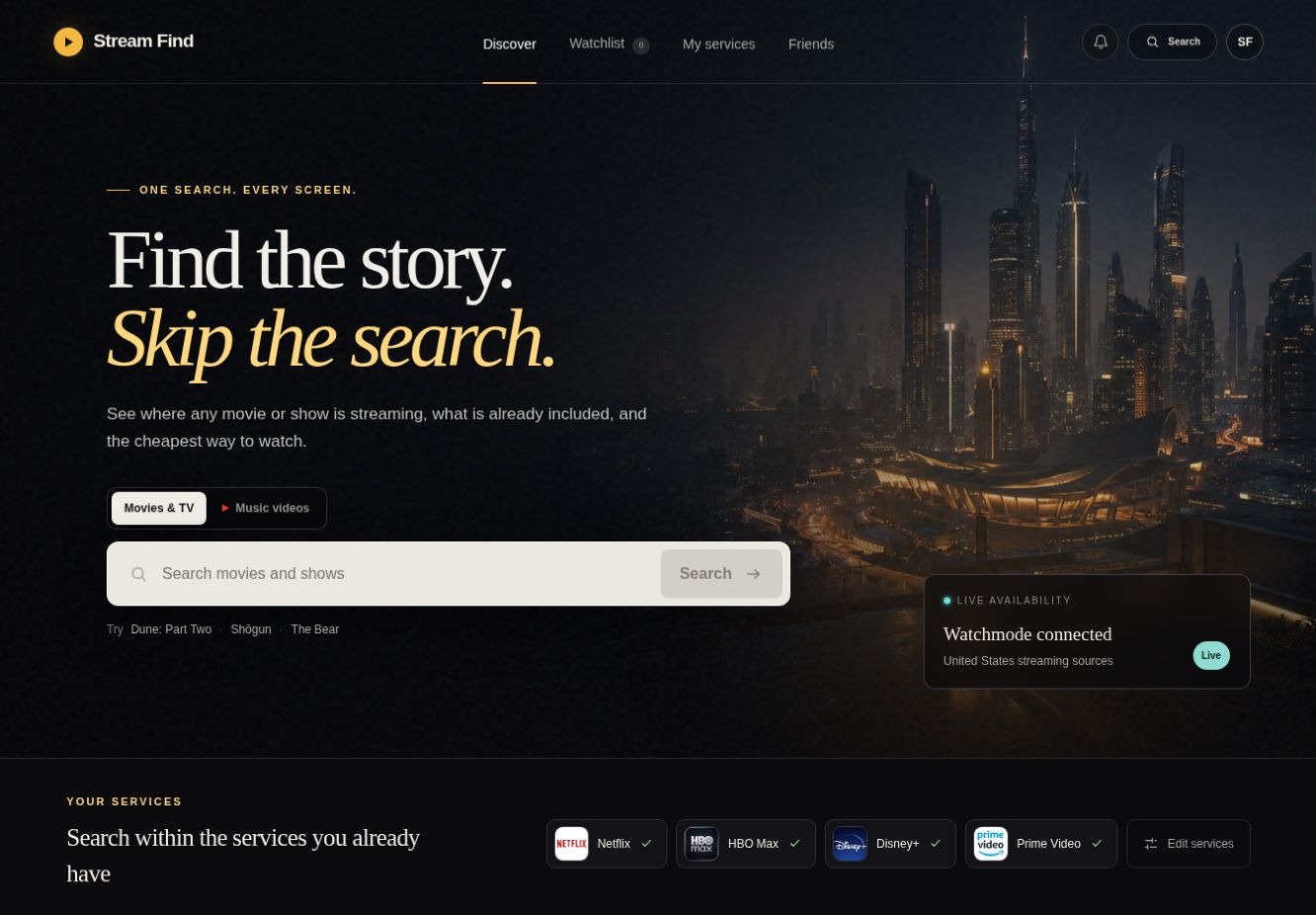
The guest experience is useful immediately: search, identify a title, compare watch options, and explore the people behind it. An account changes the starting point. The signed-in home is oriented toward the next viewing decision, with saved services, titles from friends, personal recommendations, and a movie-night entry point.
03 · Give a group a smaller decision
What should we watch tonight?
Most streaming apps help one person find one title. Stream Find also helps a group agree on one.
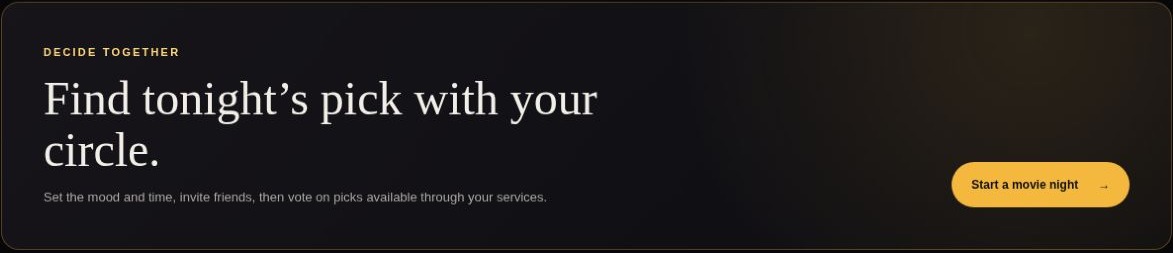
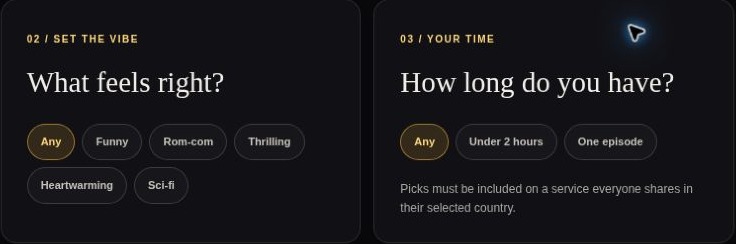
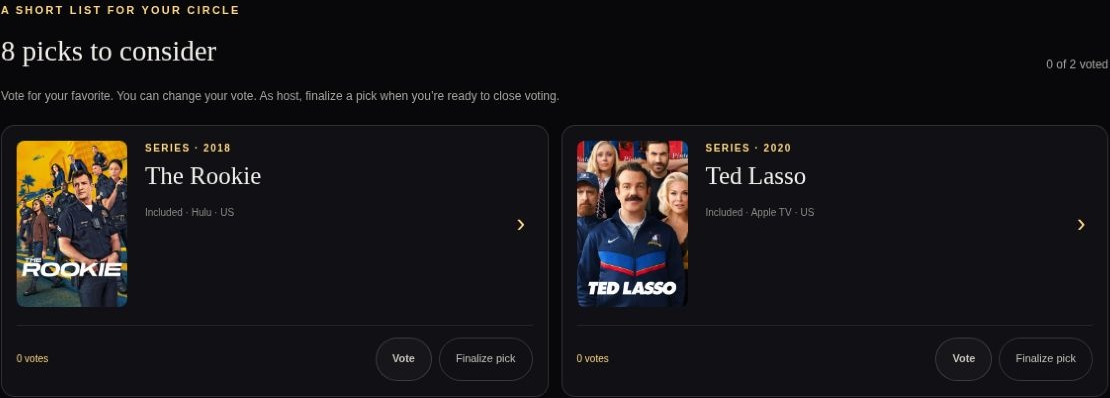
Saying what you prefer is a different act from committing the group.
That is why voting and finalizing are separate. Everyone can vote without anyone being locked in, and the host decides when the choice is made.
The room I reviewed also noted that it predated shared-service filtering and had only checked availability for the host’s country. Keeping that boundary visible matters as the model changes.
04 · Make an answer fit the viewer
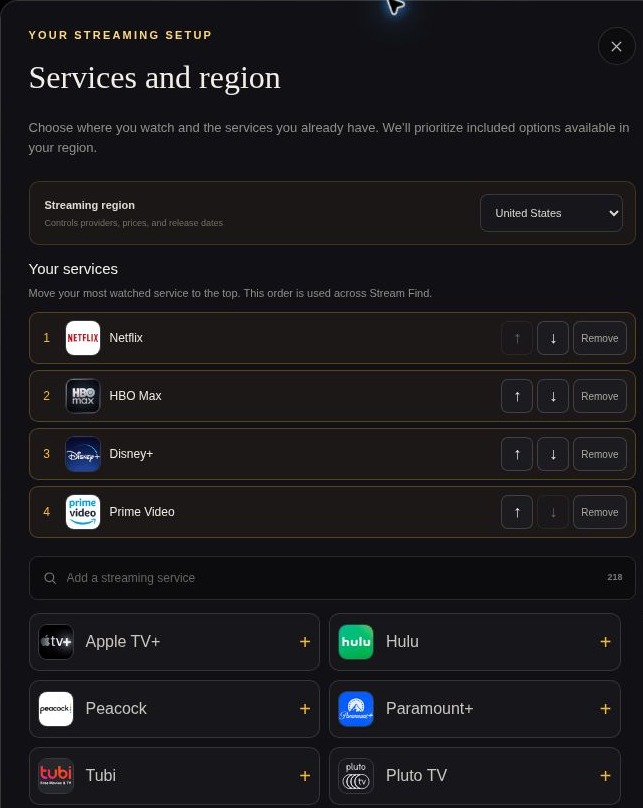
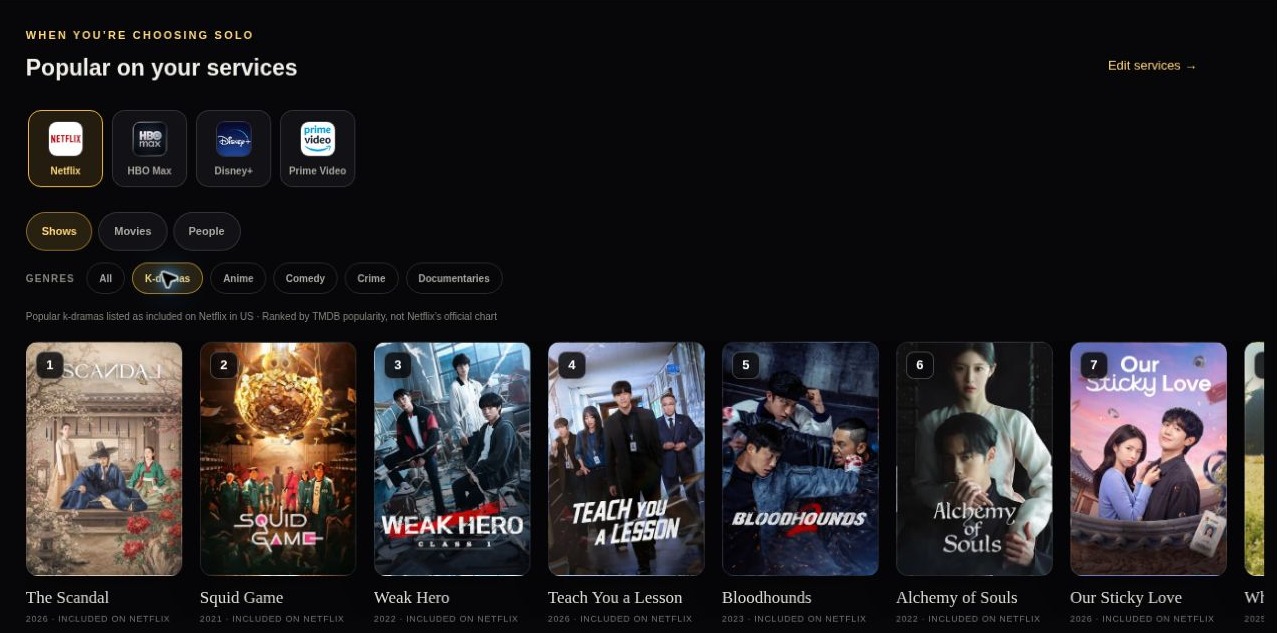
A streaming offer depends on location and subscriptions, so I made those inputs Services and region: 24 countries, a searchable directory, and the viewer’s most-watched service first. Discovery starts there. Popular on your services lets someone browse what is included on Netflix, for example, instead of picking a title and learning they need another subscription.
05 · Resolve ambiguity, then keep exploring
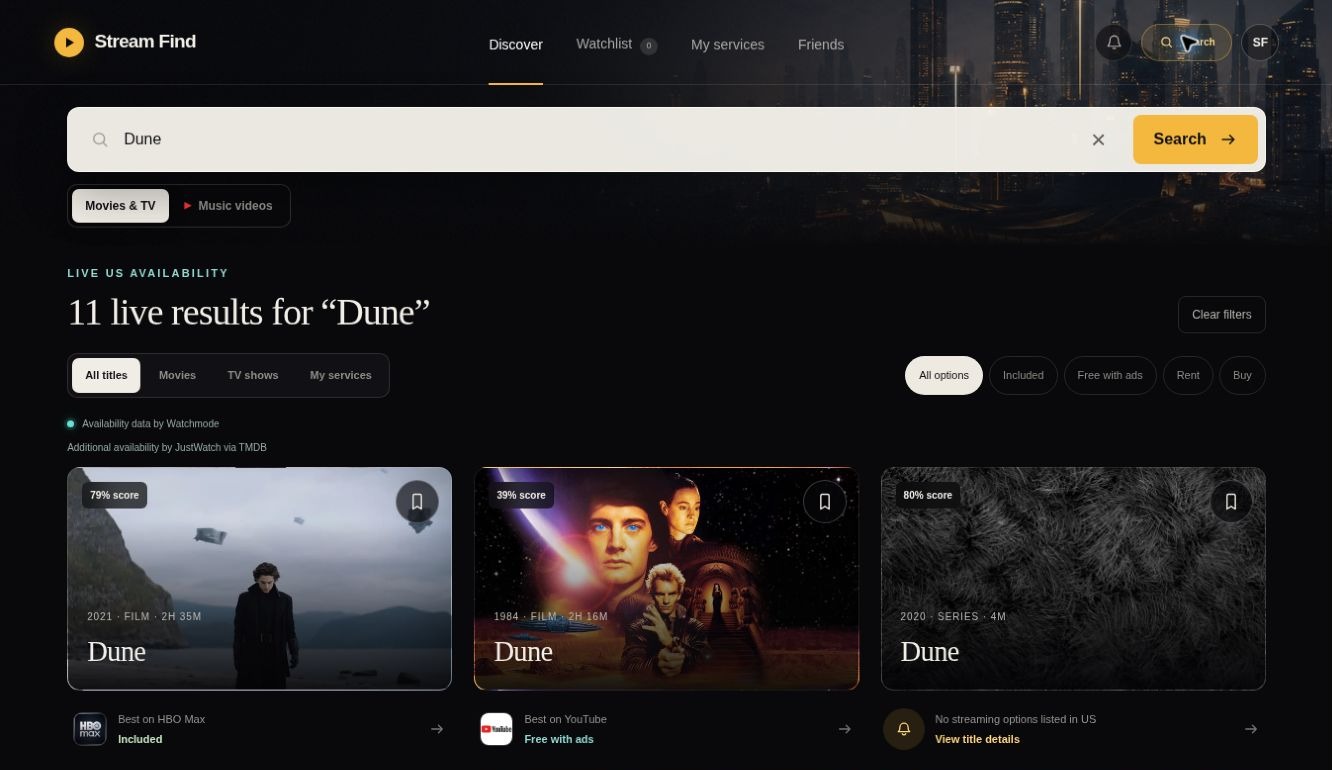
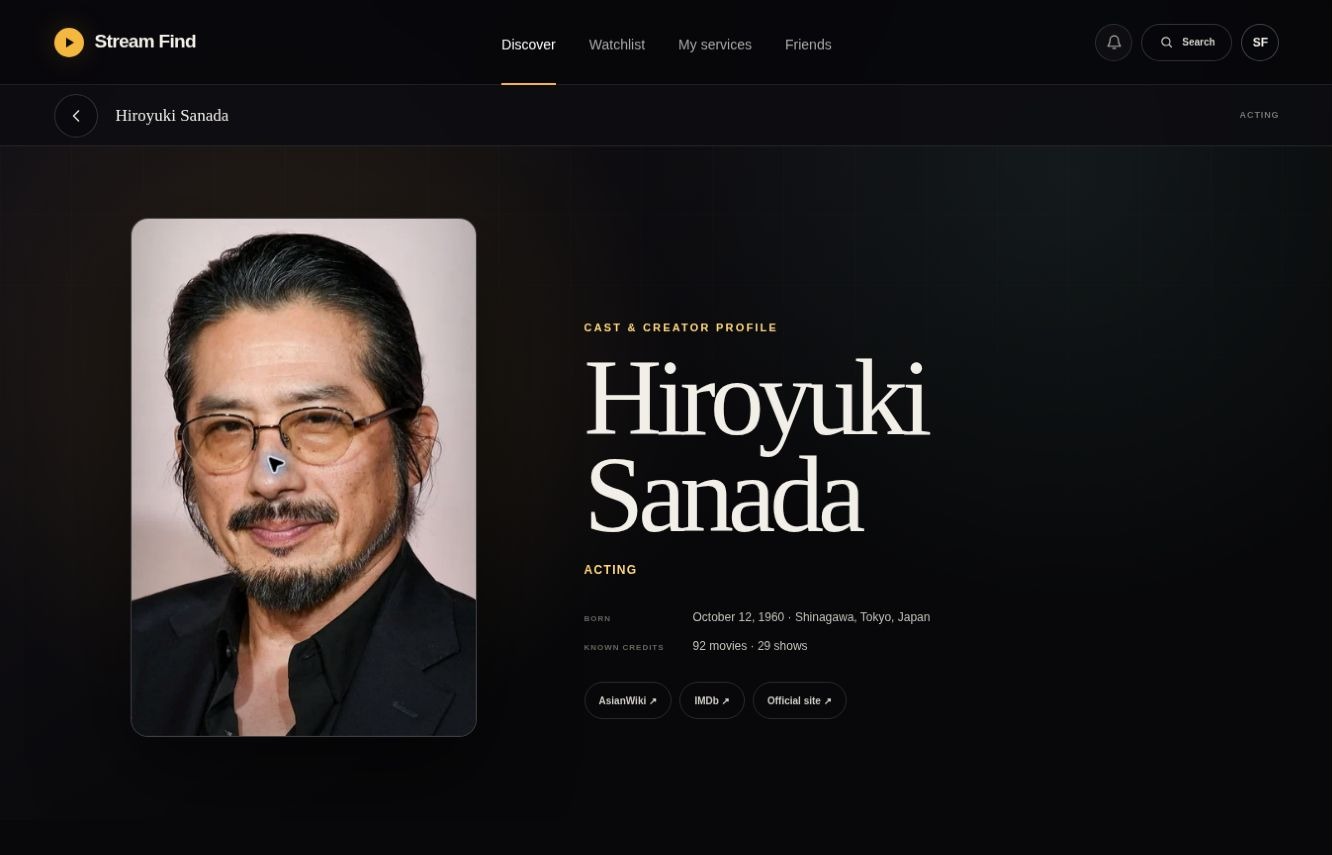
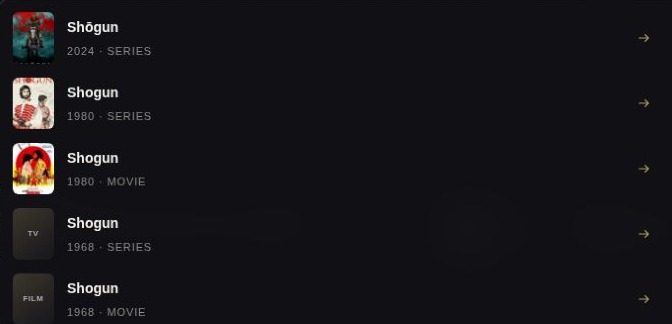
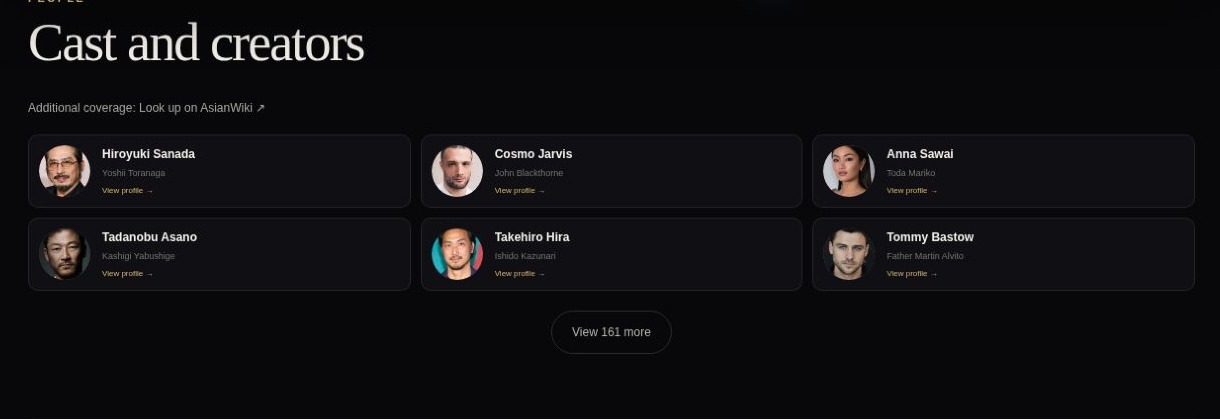
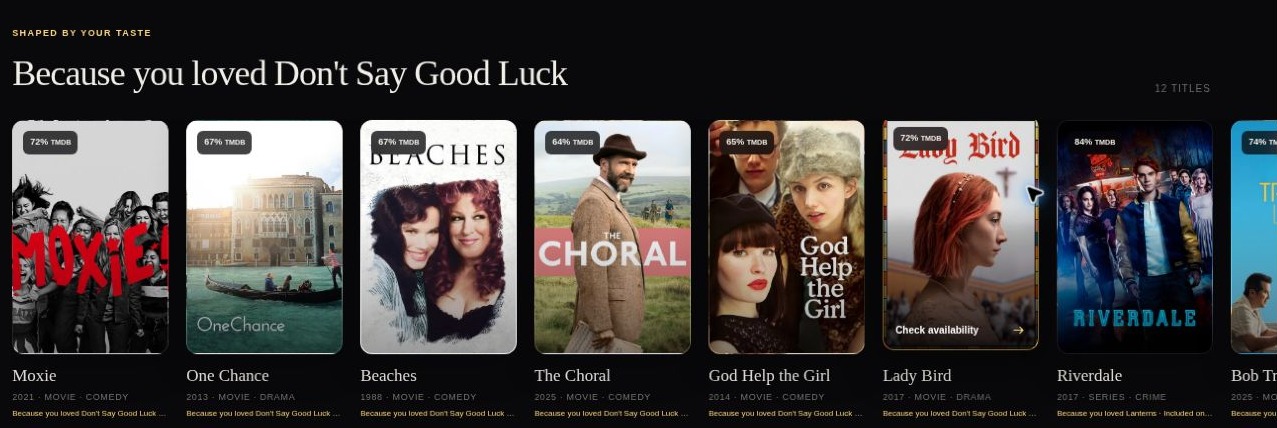
Artwork, year, and media type separate similarly named titles. Result cards pair identity with an availability answer, and they separate “no streaming options listed” from “availability hasn’t been verified,” so missing evidence never becomes a false claim. Cast portraits link to profiles and filmographies, so one title can lead to another.
06 · Separate having watched from how it felt
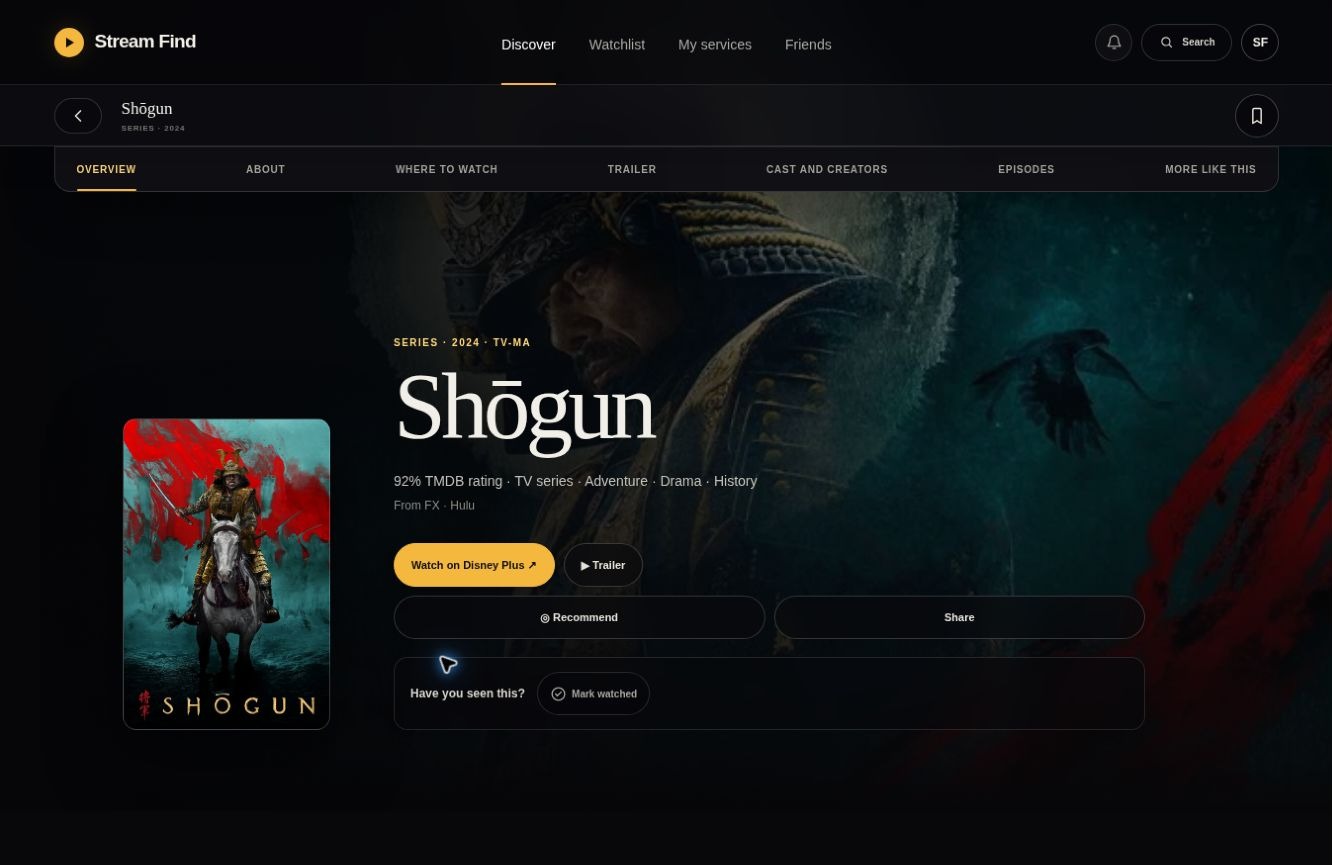
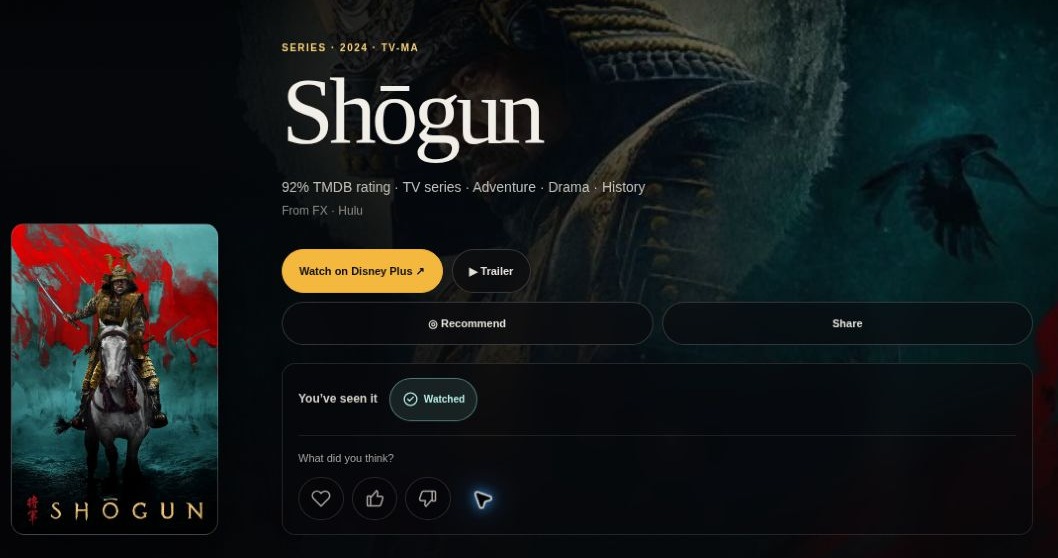
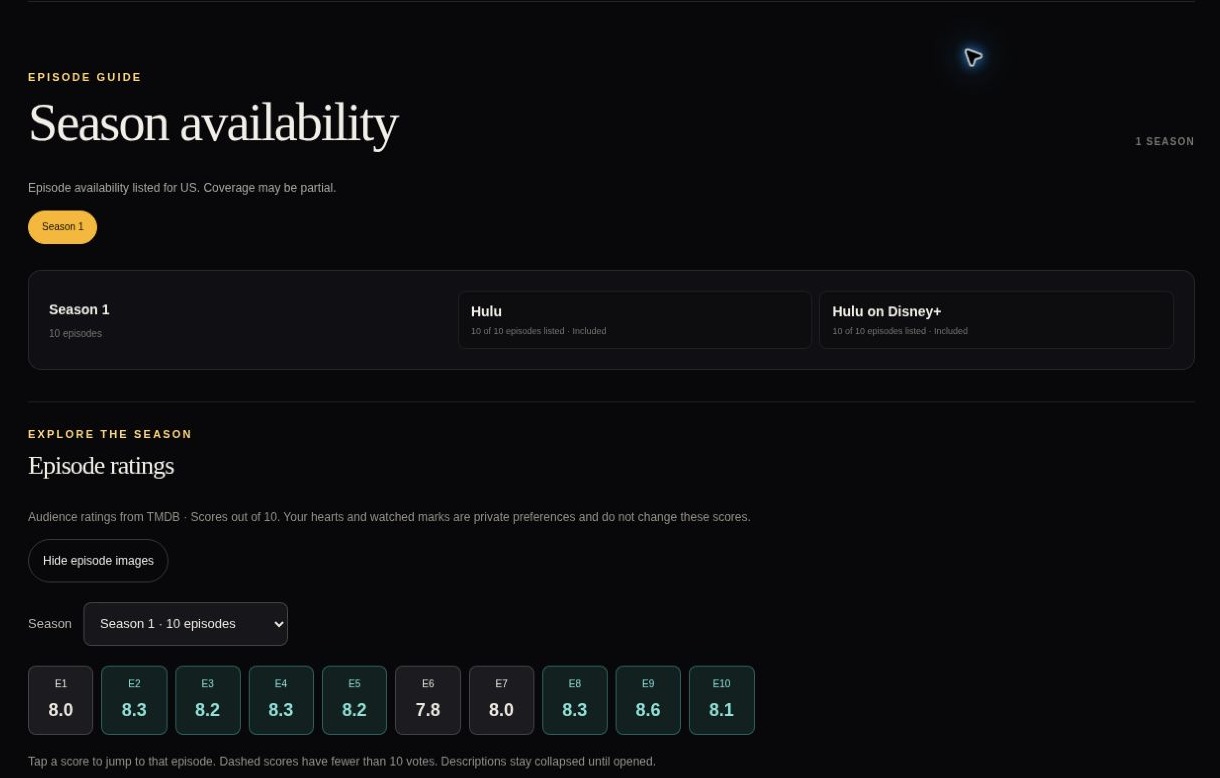
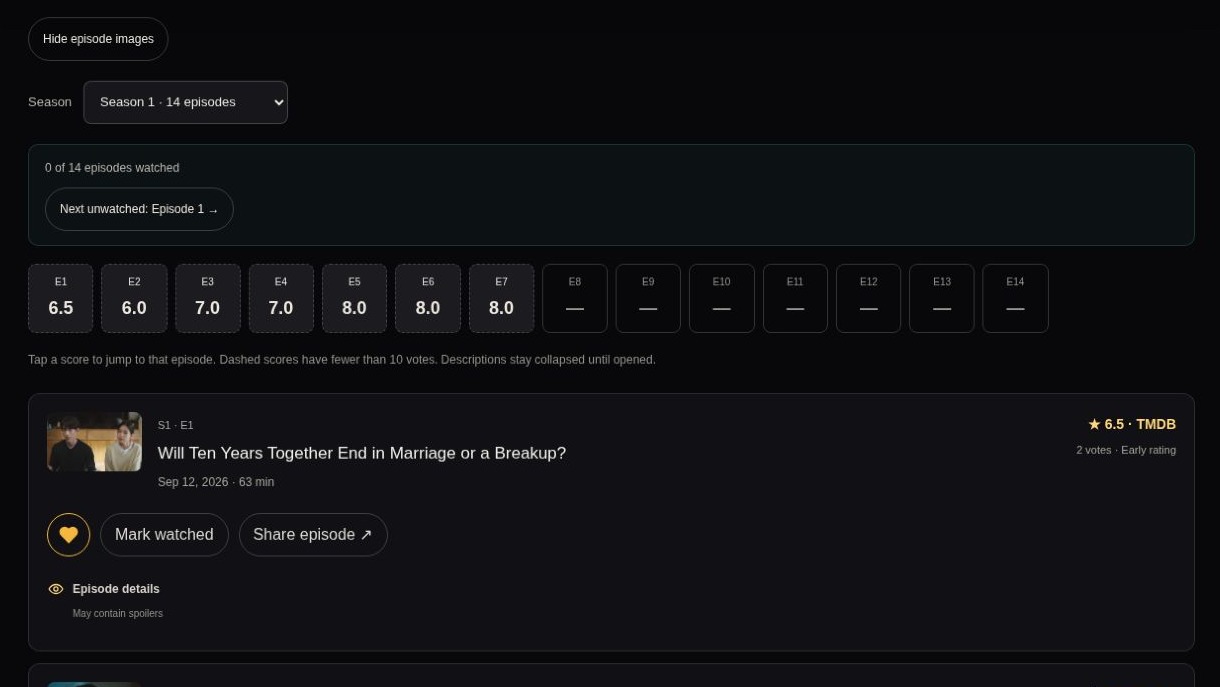
Watching status comes first: Have you seen this? Marking a title watched reveals Loved, Liked, and Not for me, which keeps a fact apart from a preference. Series get the same care. Audience scores are labeled and kept separate from personal ratings, early scores with few votes are marked, and members can resume with Next unwatched.
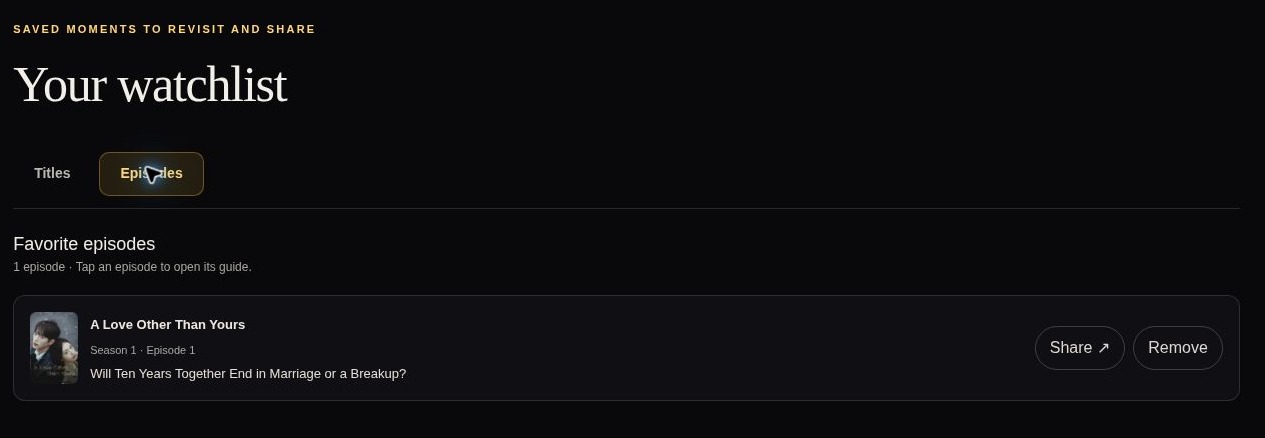
07 · Make a saved title useful over time
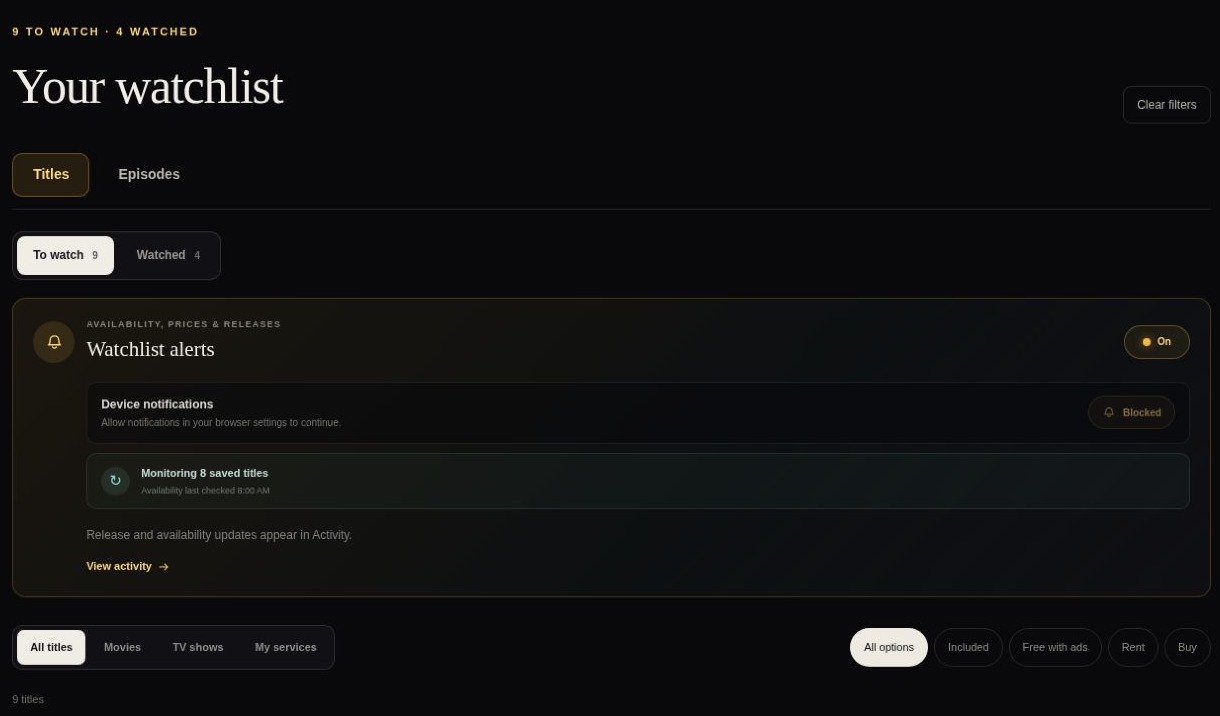
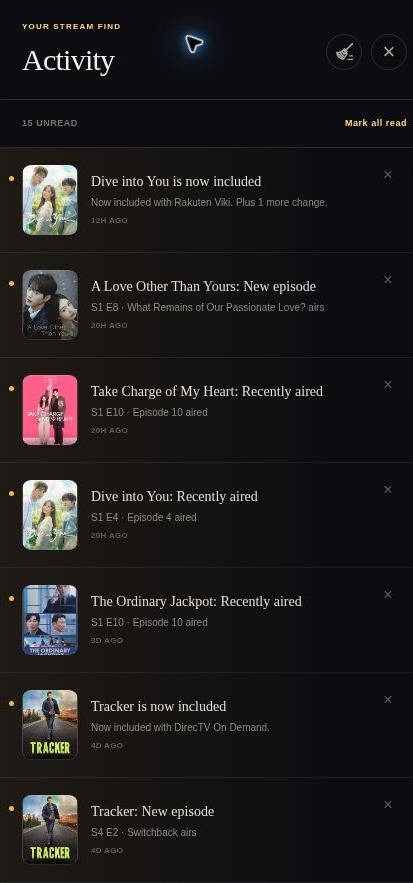
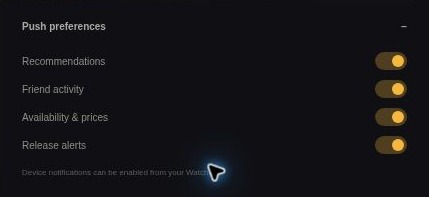
Availability changes after someone saves a title. A daily check at 8:00 AM Pacific looks for new included options, price drops, and providers leaving, and changes show up in Activity with an unread count. Push preferences let people choose which reasons to return.
08 · What building it taught me
09 · Outcome and next iteration
Stream Find is deployed and usable in both guest and member modes. It demonstrates service-based discovery, personal taste inputs, title and person exploration, episode ratings and progress, shared voting rooms, and ongoing watchlist activity. I don’t yet have reliable usage, retention, conversion, or time-saved numbers, so I treat these as shipped capabilities, not measured impact.
I would measure search-to-provider time, engagement with service and genre discovery, whether recommendation reasons help people choose, episode return journeys, shortlist-to-choice completion, and useful Activity clicks. Next up: reconcile ratings and provider data, explain synthesized summaries, verify shared-service filtering in a new cross-account room, and test mobile, keyboard, screen-reader, and notification behavior. Push delivery and its Firestore protections still need testing beyond a UI walkthrough; notifications were blocked in the review browser.
Its direction is clearer now: help people choose something they can watch, with the context and continuity to keep going.
Screenshots are live-app captures from October 11, 2026, cropped to remove account and friend details. The review covered guest and signed-in desktop. New invitations, votes, cross-account access controls, and browser push delivery were not tested.
Find the story. Skip the search.