Shafeen Alam
Telling people when their passwords have been stolen
After a run of high-profile password breaches, Asurion wanted to give app users a way to check whether their passwords had ever been stolen. I designed two versions of the check, one that runs as each login is saved and one that scans everything weekly, with the goal of doubling the logins saved per user.
People loved the idea of a password check, but did not believe it could be that easy.
60-second read
Asurion needed more engagement and more users. Breaches were in the news, and people were saving few logins in the app.
Two checks: one immediately after each login is saved, and a weekly scan of everything saved.
User flows, prototypes from user stories, and usability and preference testing throughout.
The KPI was 5 to 10 saved logins per user. The project is no longer live and I do not have data on whether it was met.
01 · Situation
Breaches were in the news, and the app needed a reason to be opened.
We needed to increase engagement with the app and gain more users. With password and data breaches making headlines, we thought a tool that let people check whether their passwords had ever been stolen would raise engagement and increase the number of passwords each person added. Our KPI was to move saved login records per user from 5 to 10.
02 · Obstacles
People wanted it, but did not trust that it could be simple.
In testing, people loved the idea of checking whether their login records had been stolen, but did not believe it was that easy to do. Separately, we were negotiating a contract with another company to run the stolen password check. That negotiation was blocking development of the feature, so we went another route.
03 · Action
Flows and prototypes from user stories, tested at every step.
I created user flows and prototypes from user stories, and ran usability and preference testing throughout the design process to check my decisions. Engineering had known limitations, so I shared the designs with the team as they developed to keep us aligned.
04 · Two approaches
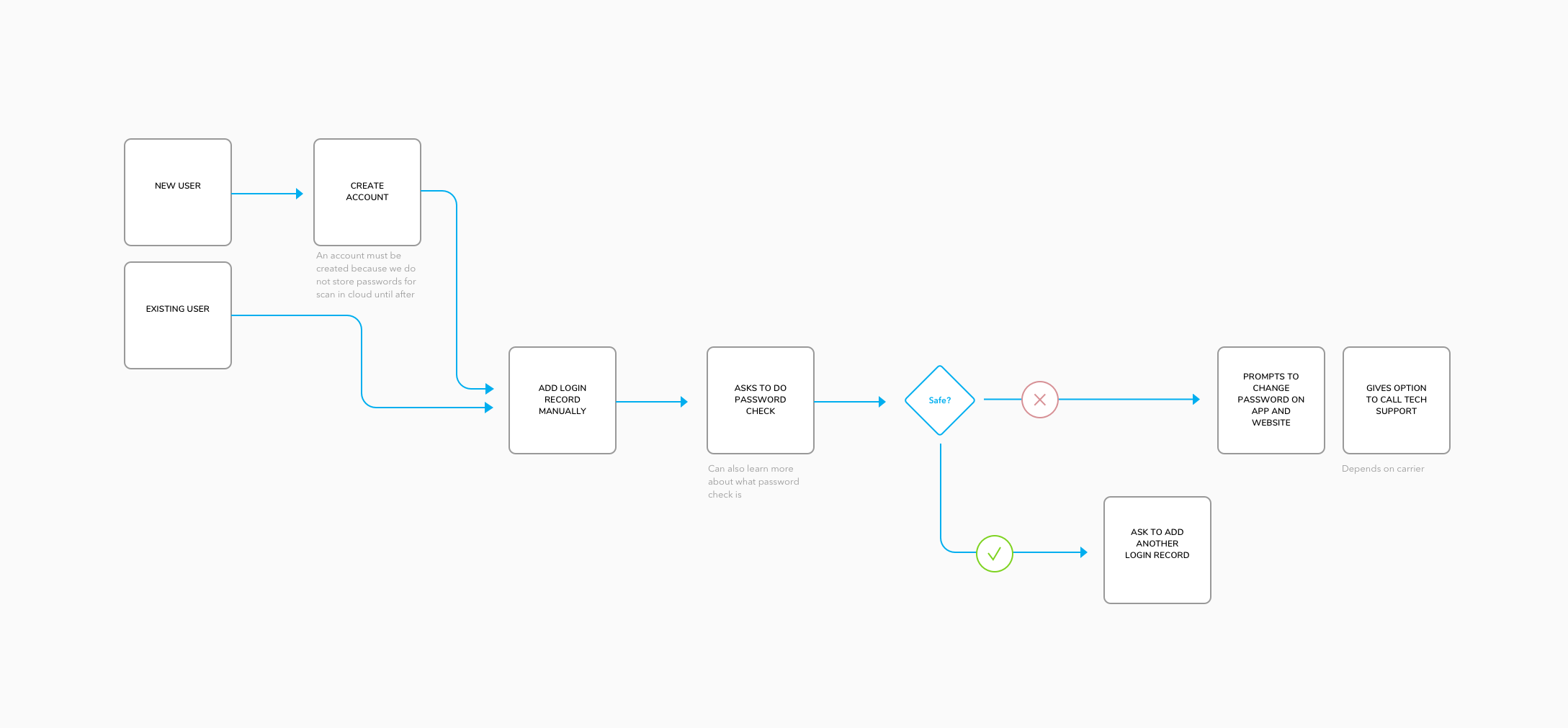
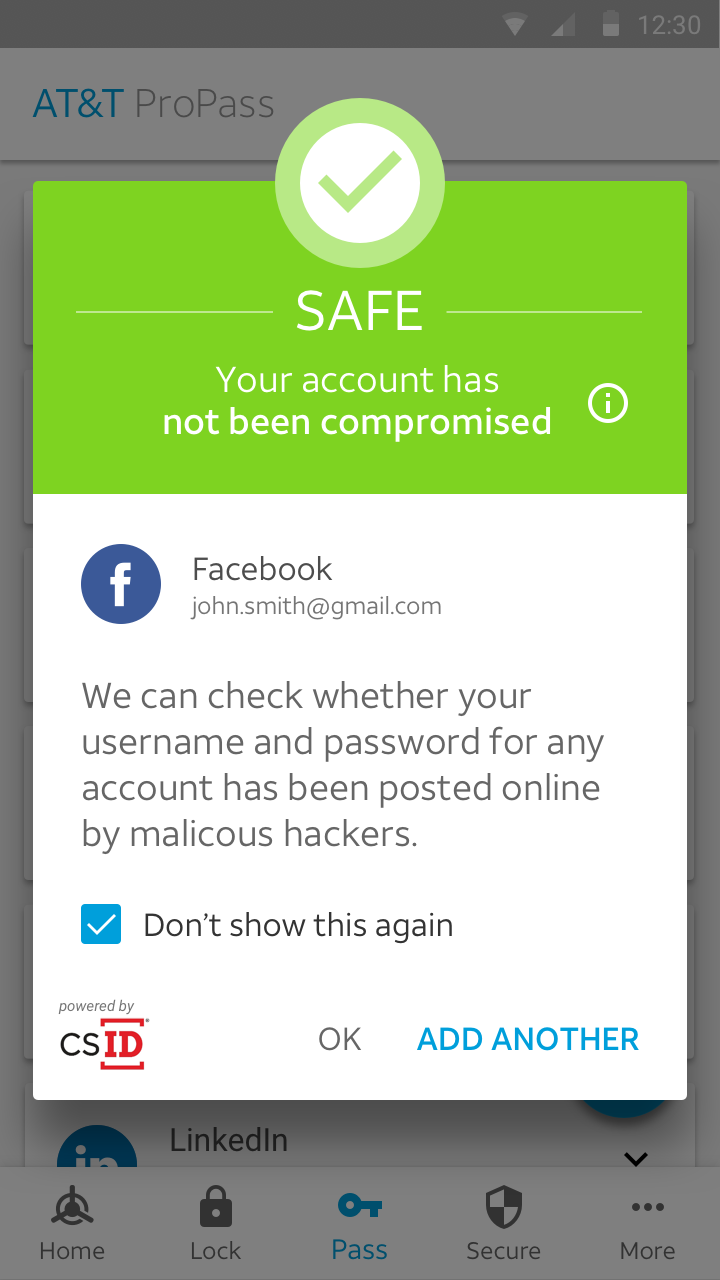
Check a password as soon as each login record is added, so the answer arrives while the person is still in the moment.
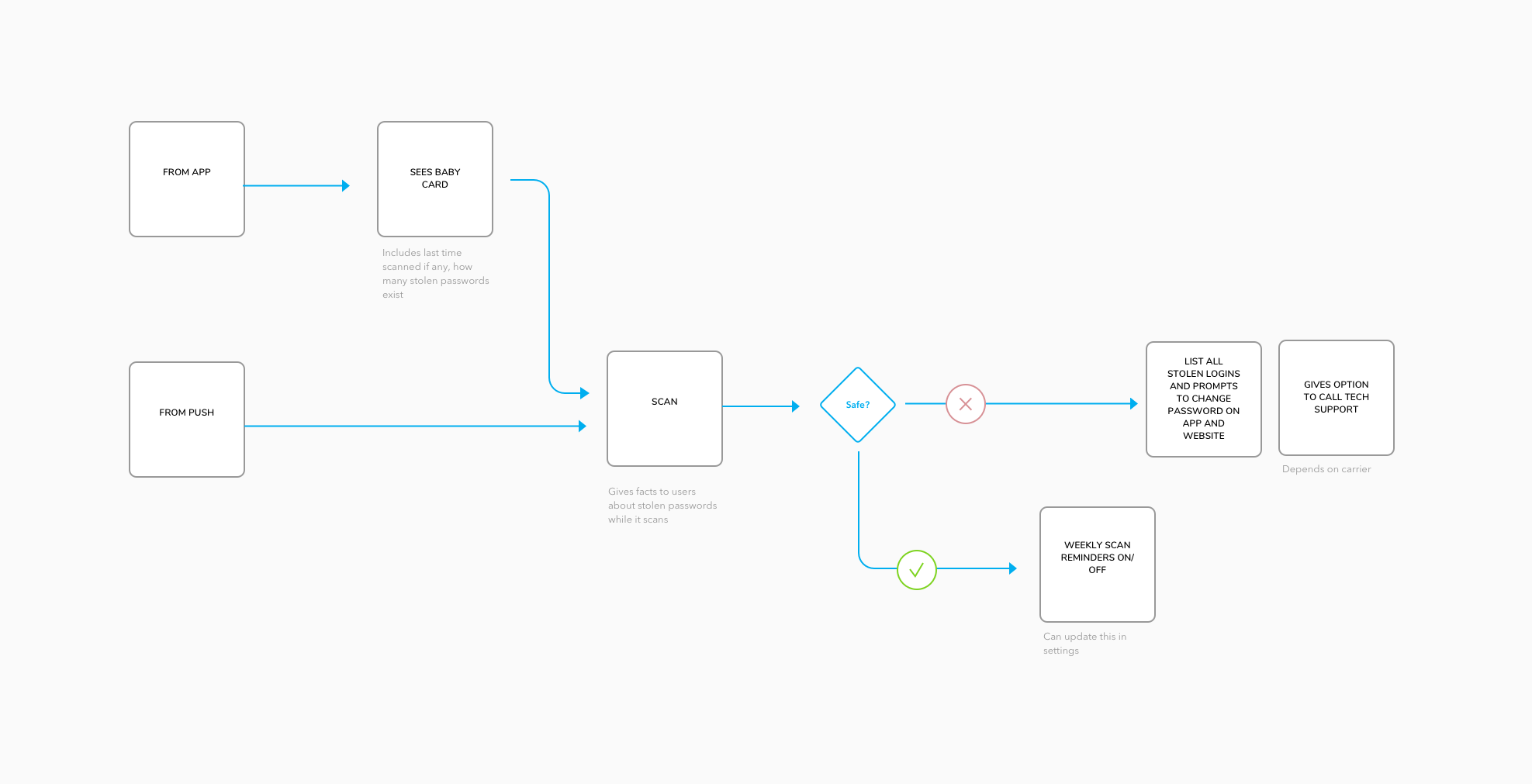
A weekly scan of every saved login record, so a password that is stolen later still gets caught.
05 · Android
Android gave us root-level access to the phone, which iOS did not.
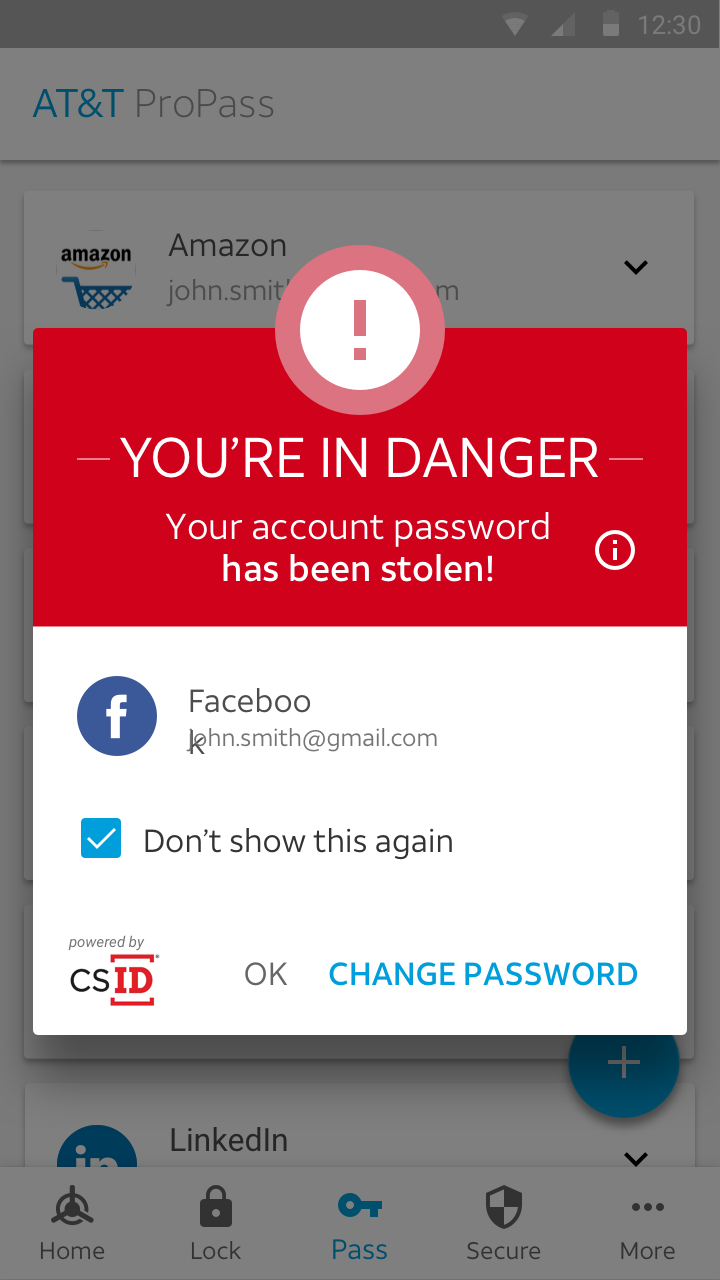
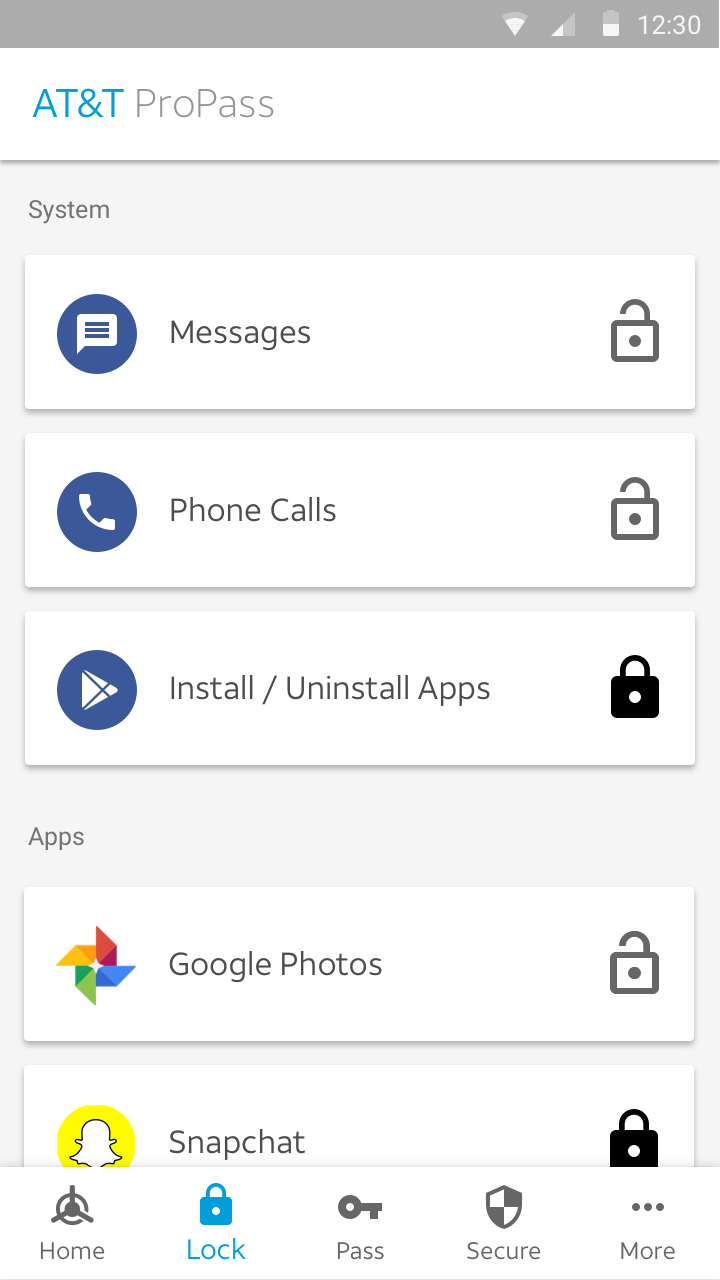
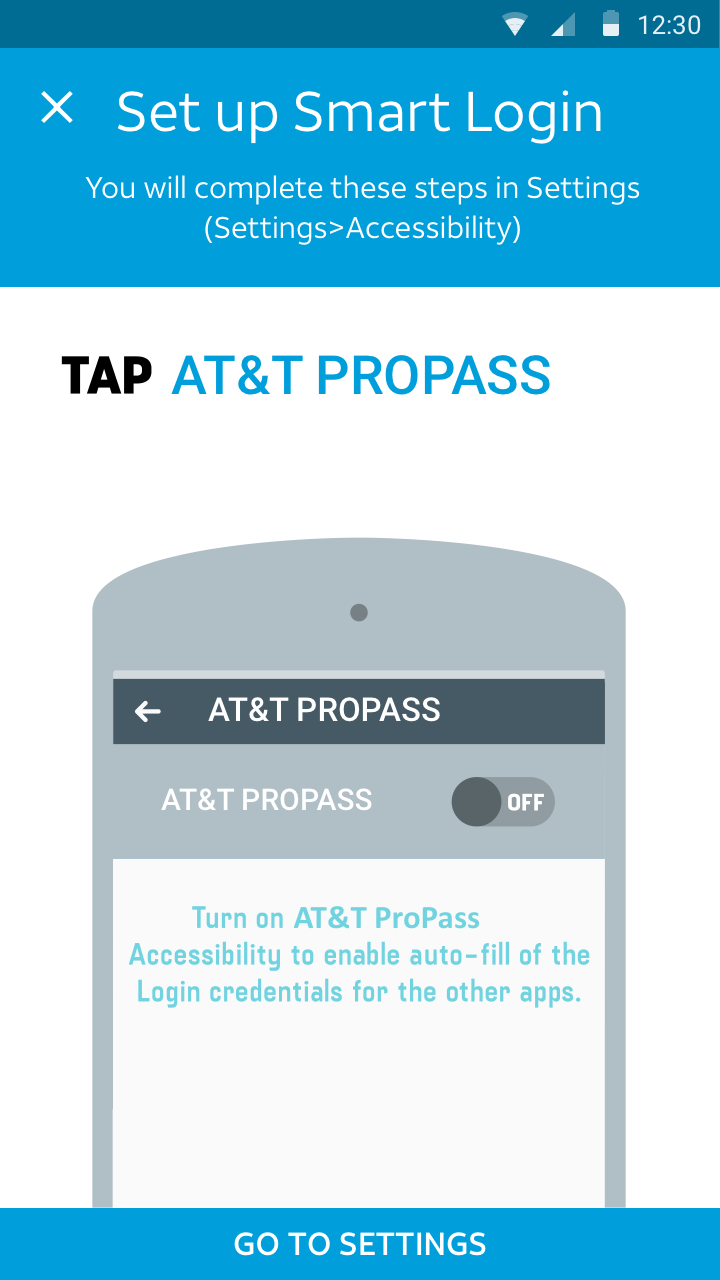
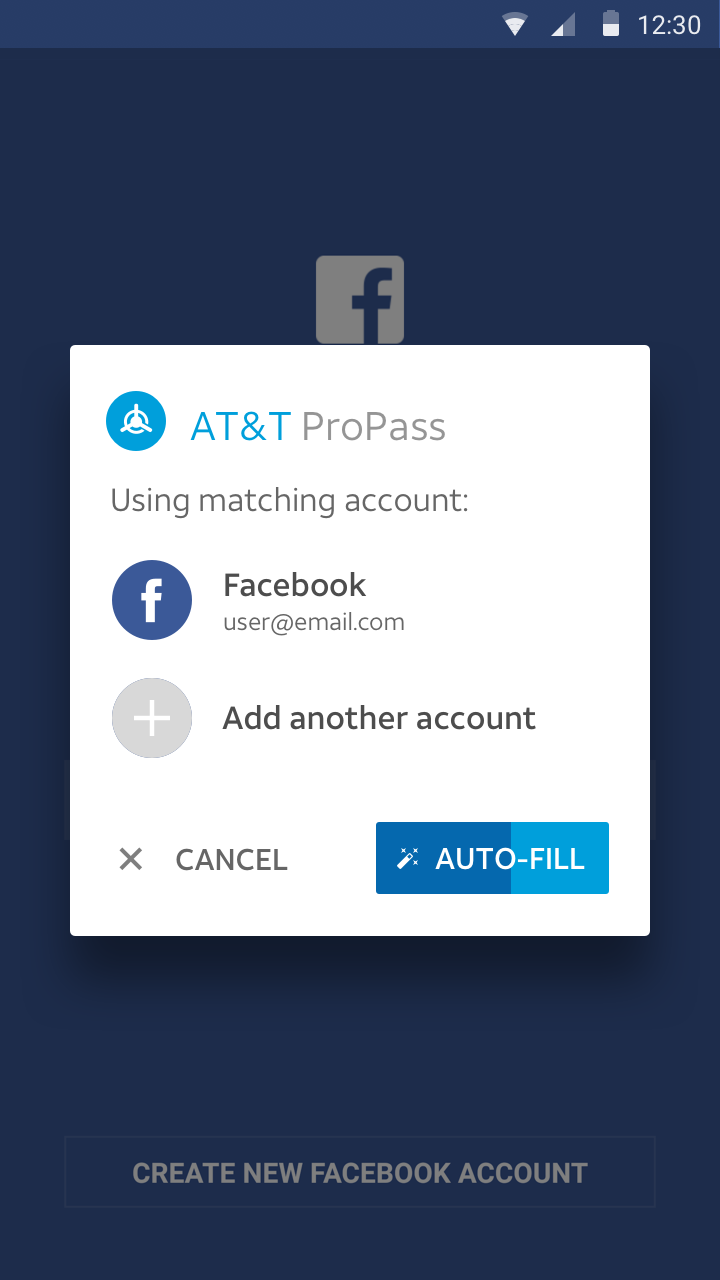
That let the Android app do more than the iOS one. It could work across other apps on the device, so the design covered more than the password check itself: the stolen and safe results, locking individual apps, and filling in logins inside other apps.
06 · Where it ended
The project is no longer live in the App Store or Google Play. I do not have data showing whether we met the KPI of 10 saved logins per user, so I am not claiming a result here.
07 · What I learned
I also spent time structuring the files and using symbols in Sketch so the app could be re-skinned quickly if one of our carriers wanted to move forward with the project.
Leave every project in a state someone can restart.