Shafeen Alam
Archive
CitrixReceiverMobile

The only designer on Receiver, taking it from 597K downloads to almost 2 million

Citrix Receiver is the client that puts a company's apps and desktops on any device. I was lead designer for iOS on a cross-functional team, and the person keeping the design coherent across every other platform.
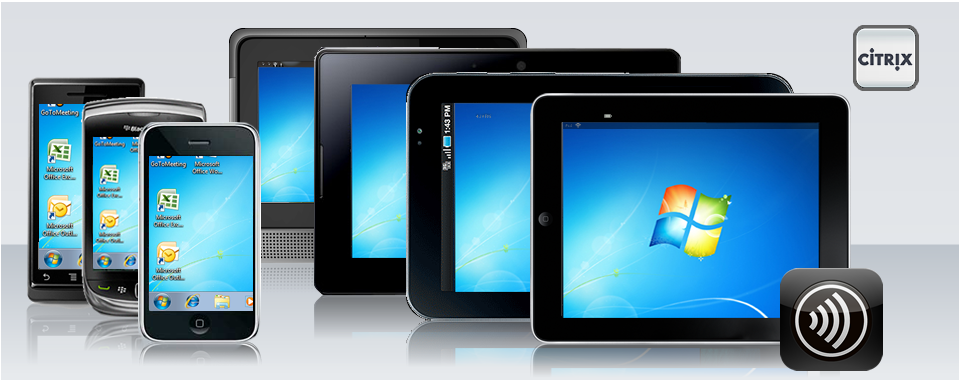
Citrix Receiver running the same Windows desktop on two phones, a BlackBerry, a PlayBook, an Android tablet and an iPad, with the Citrix logo and Receiver app icon
Receiver across the devices it had to serve: phones, BlackBerry, PlayBook, Android tablets and iPad, all reaching the same desktop.
Role
Product designer, lead for iOS
Timeline
March 2010 to July 2013
Team
Only designer on a cross-functional team
Surfaces
iPhone, iPad, and all Receiver platforms
case.md
$ cat outcome
downloads: 597K → ~2M
design_patents: 2 granted
Why it mattered

I was the designer behind Citrix's zero day initiative: a promise that Receiver would be on every new device or OS, preloaded and ready to use.

60-second read

Problem

Receiver was strong on desktop, but mobile was where its audience was growing and where it was weakest.

System decision

One design language across every Receiver platform, with iOS as the place to prove it first.

My contribution

Lead designer for iOS, design coherence across platforms, fast Flash prototypes, and art direction for iOS developers.

Result

Downloads grew from 597K to almost 2 million. Two design patents were granted.

~2MReceiver downloads, up from 597K before I joined
3Synergy conference keynotes featuring my assets
2US design patents granted, both naming me as an inventor
1Designer on the team, covering iOS and setting direction for all platforms

01 · Owning iOS

I was the lead designer for iOS and the only designer on a cross-functional team. That meant owning the phone and tablet apps end to end, and also making sure Receiver on every other platform still read as the same product.

Downloads were at 597K when I joined. By the time I left, Receiver had almost 2 million, with most of the growth in mobile.
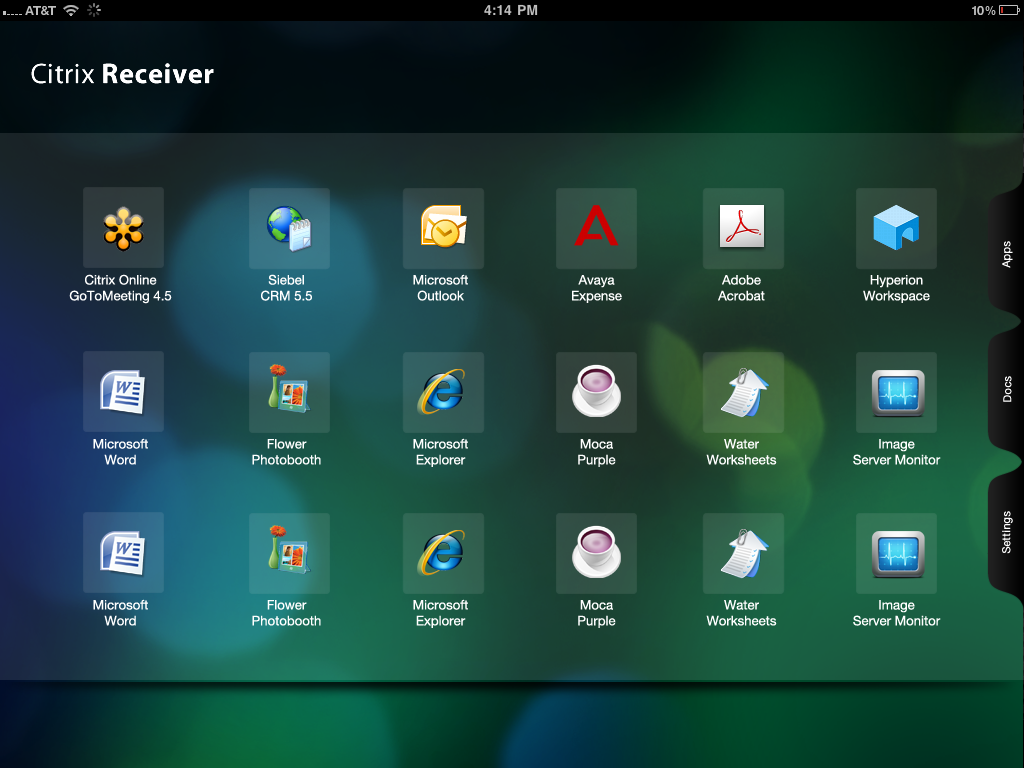
The Citrix Receiver iPad home screen: a grid of app icons over a dark green background, with Apps, Docs and Settings tabs on the right edge
The iPad home. Apps sit on the surface, and the Apps, Docs and Settings tabs pull in from the edge.
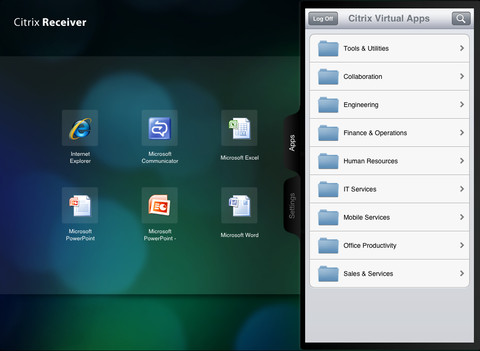
The Receiver iPad app with the Citrix Virtual Apps panel open, listing folders such as Tools and Utilities, Collaboration and Engineering
The app catalog slides in from the edge and stays out of the way until asked for.
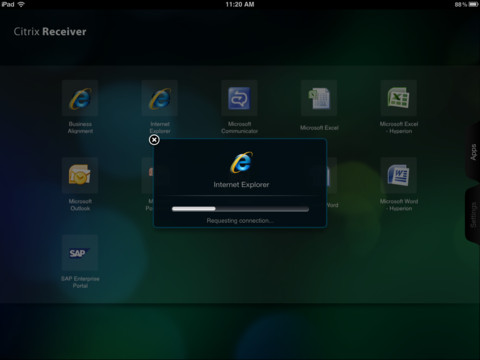
The Receiver iPad app showing an Internet Explorer launch dialog with a progress bar reading Requesting connection
Launching an app. A small dialog states what is happening while the connection is made.

02 · One product, every platform

Part of the job was making sure Receiver on Android, BlackBerry PlayBook and the rest still felt like the same product as the iPad app. The same catalog, the same launch pattern and the same help for touch gestures, adapted to each platform rather than copied.
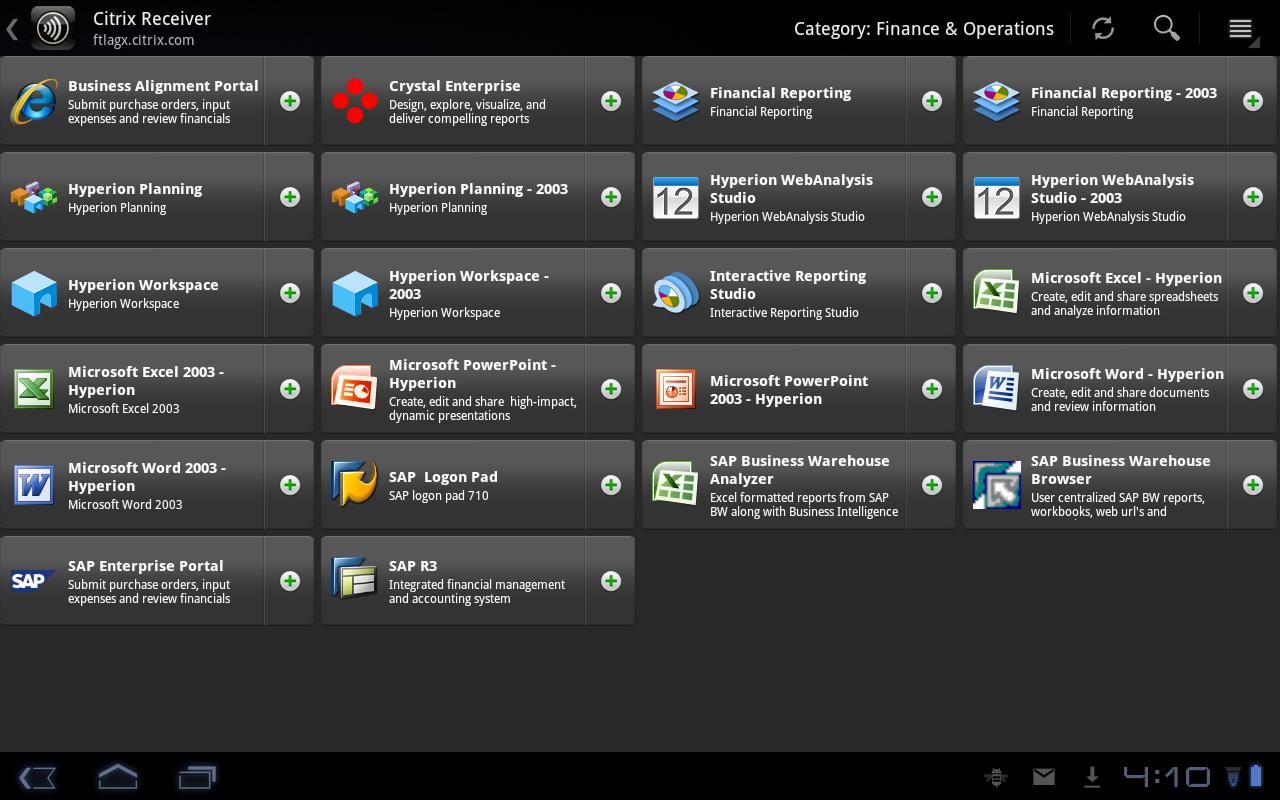
Receiver on an Android tablet showing a category of finance and operations apps as a grid of tiles with an add button on each
Android tablet. The app catalog as a grid of tiles, each with its own add control.
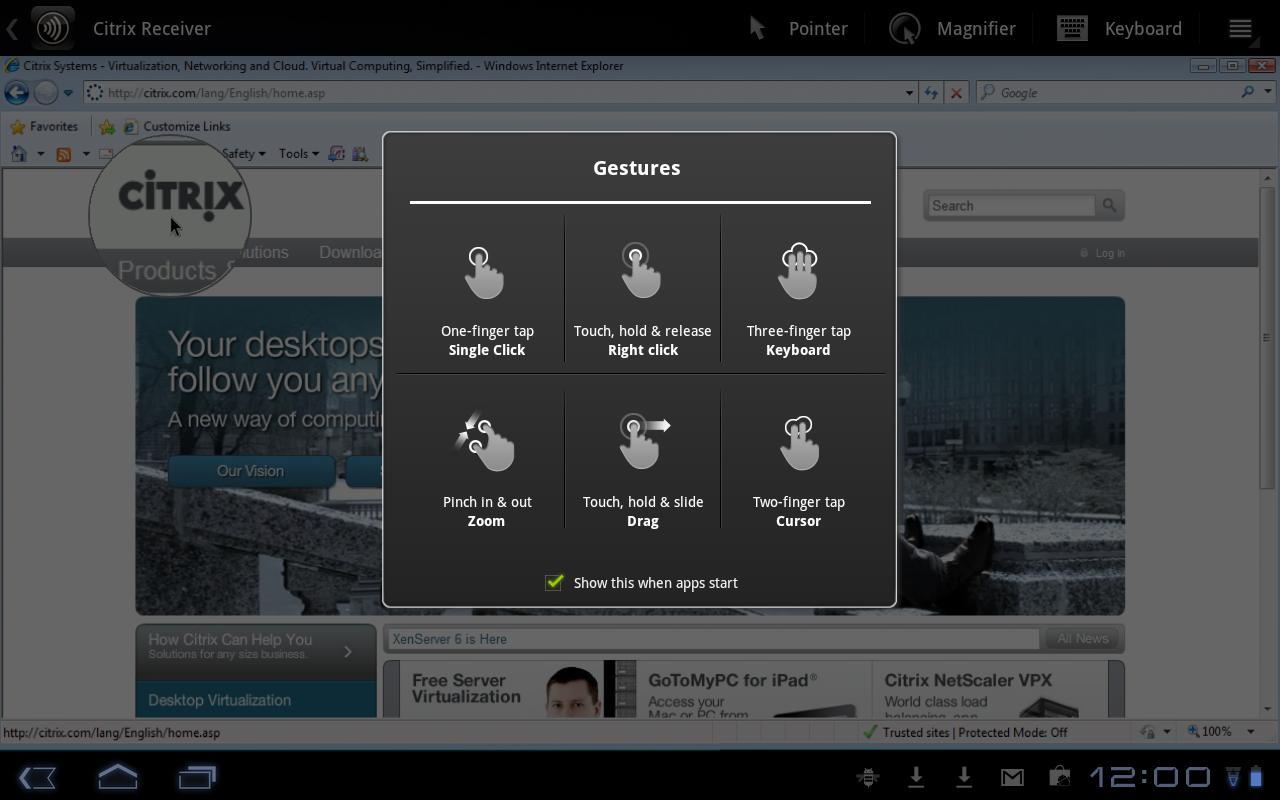
Receiver on an Android tablet showing a gestures help dialog for single click, right click, keyboard, zoom, drag and cursor, over a remote Windows desktop
Android tablet. A gesture guide for working a full desktop by touch.
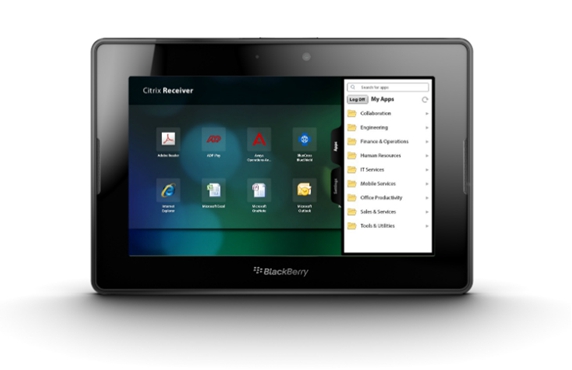
A BlackBerry PlayBook showing Citrix Receiver with an app grid and a My Apps panel open on the right
BlackBerry PlayBook. The same structure, with the app panel opening from the edge.
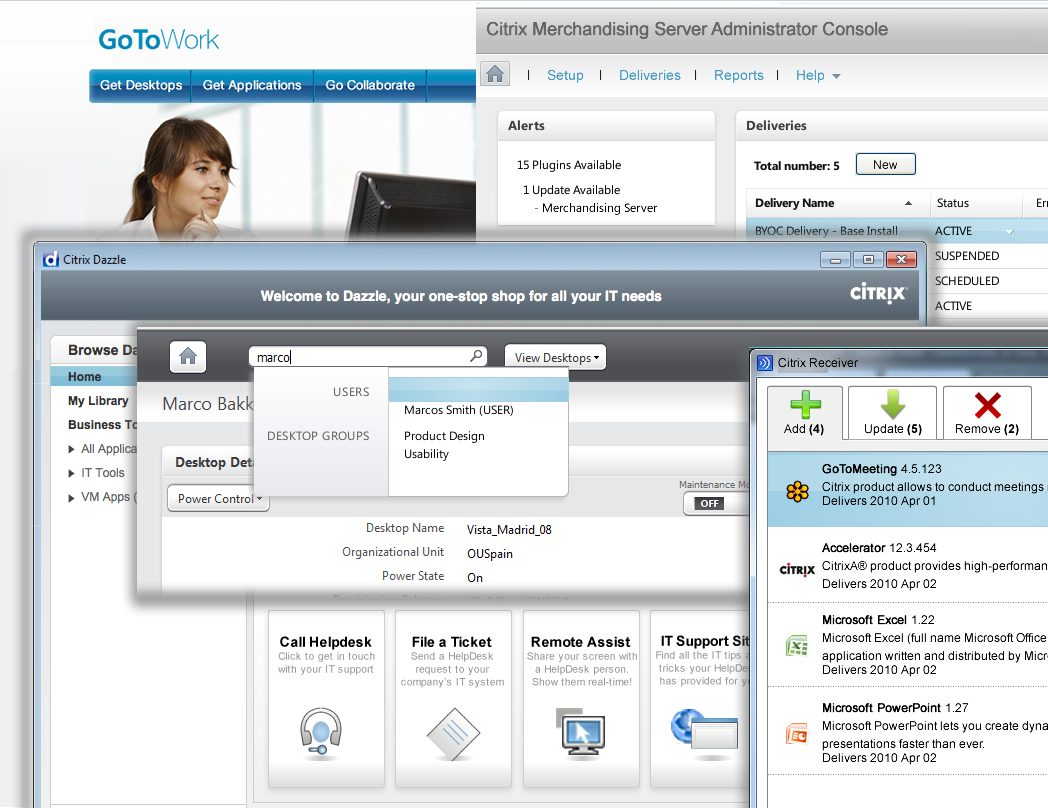
A collage of Citrix product screens from the period, including GoToWork, the Merchandising Server administrator console, Dazzle and Receiver
The wider Citrix product family at the time, including Dazzle and the Merchandising Server console, which Receiver had to sit comfortably beside.

03 · @WorkMail on iPad

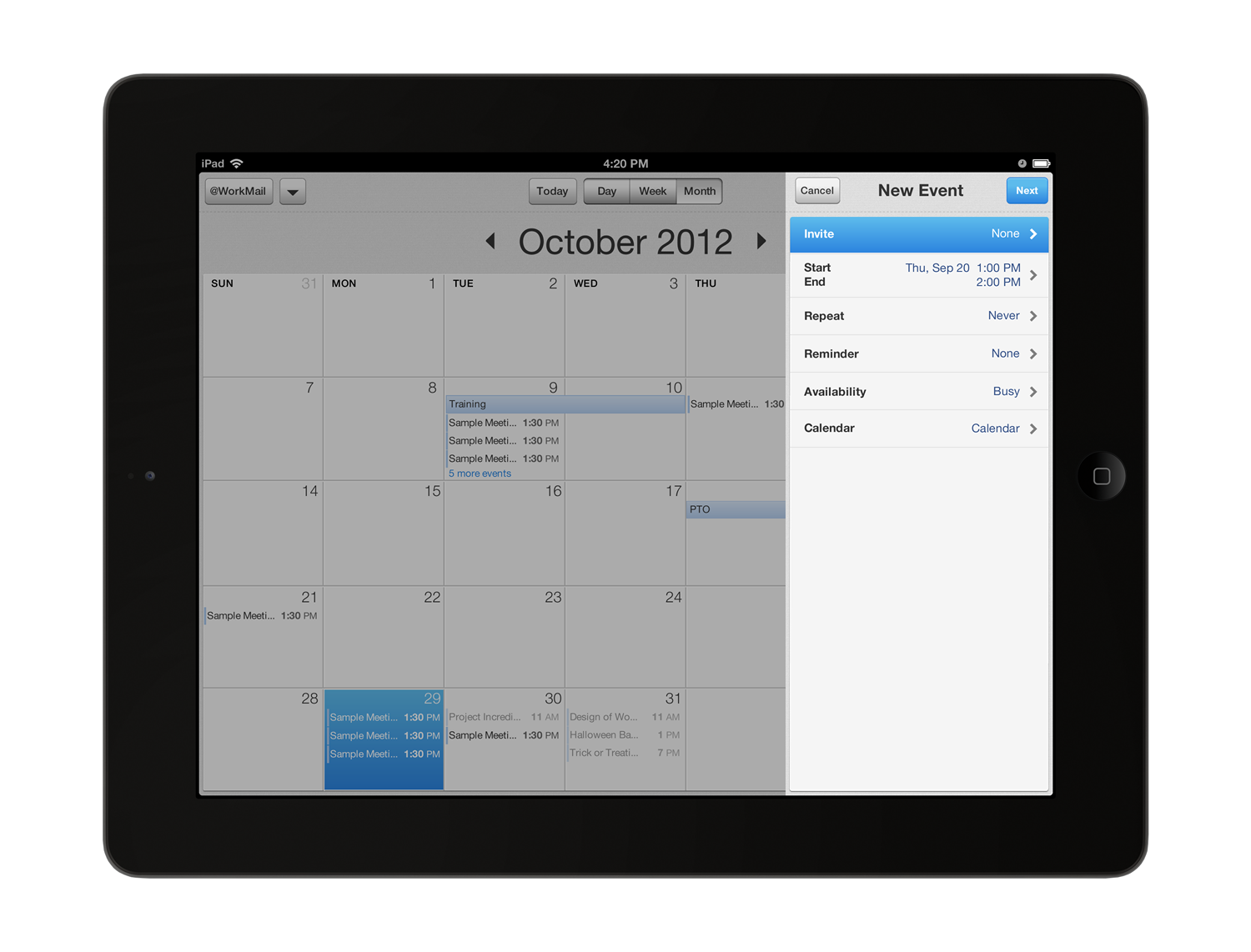
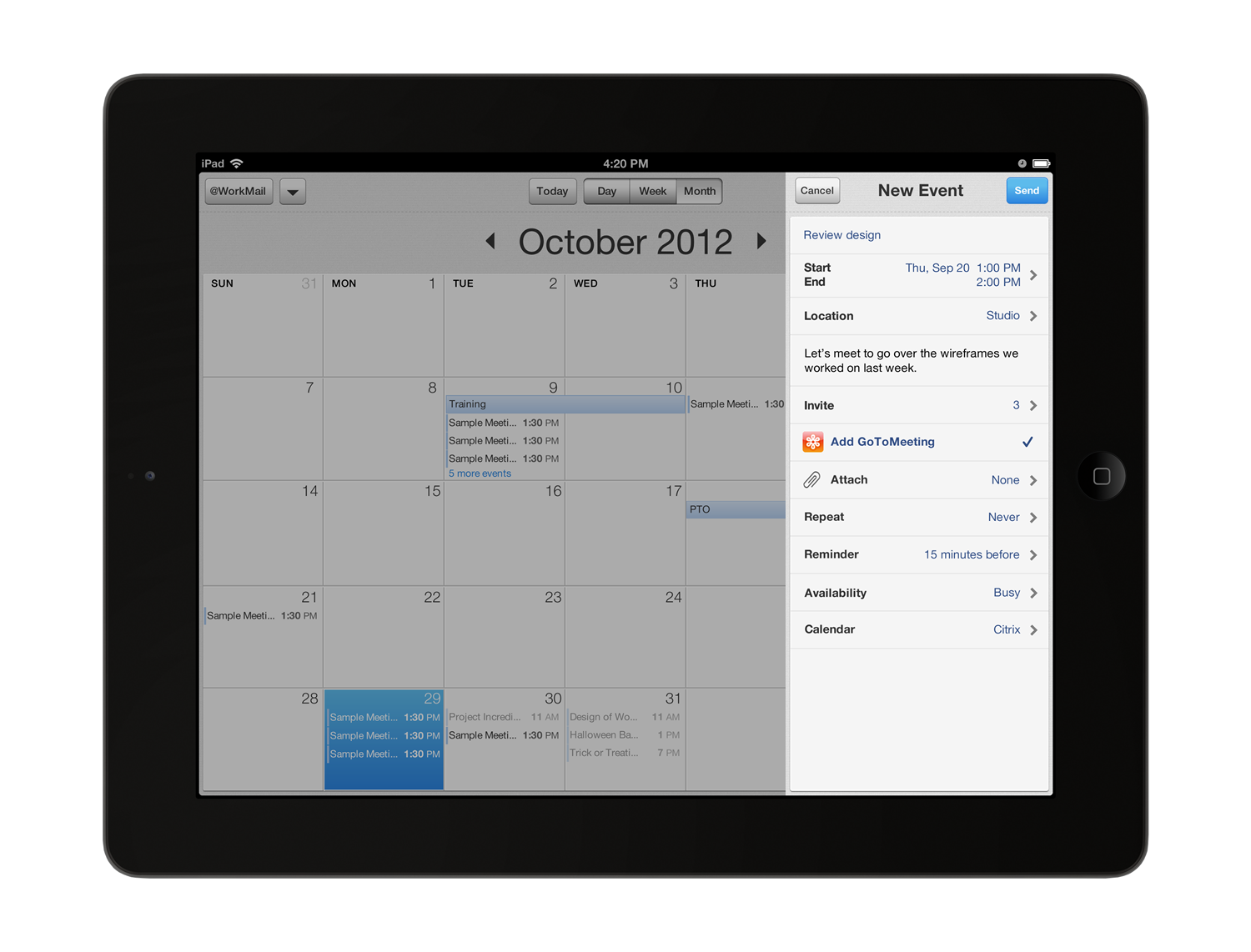
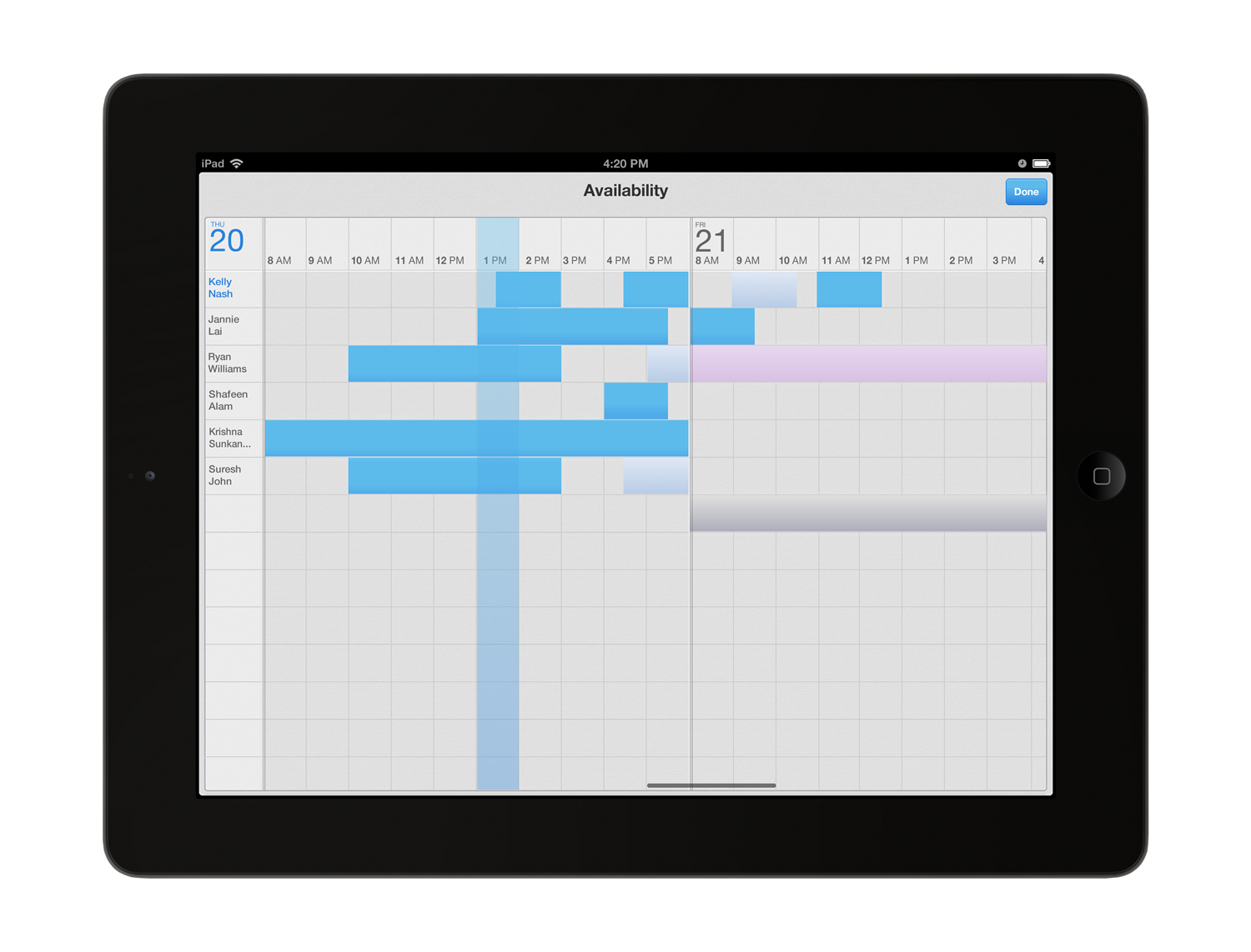
@WorkMail was the secure mail, calendar and contacts app for iPhone, iPad and Android. It sat inside the Me@Work suite, so people could attach ShareFile documents, open links in @WorkWeb and schedule GoToMeeting calls without leaving the secure container on the device.

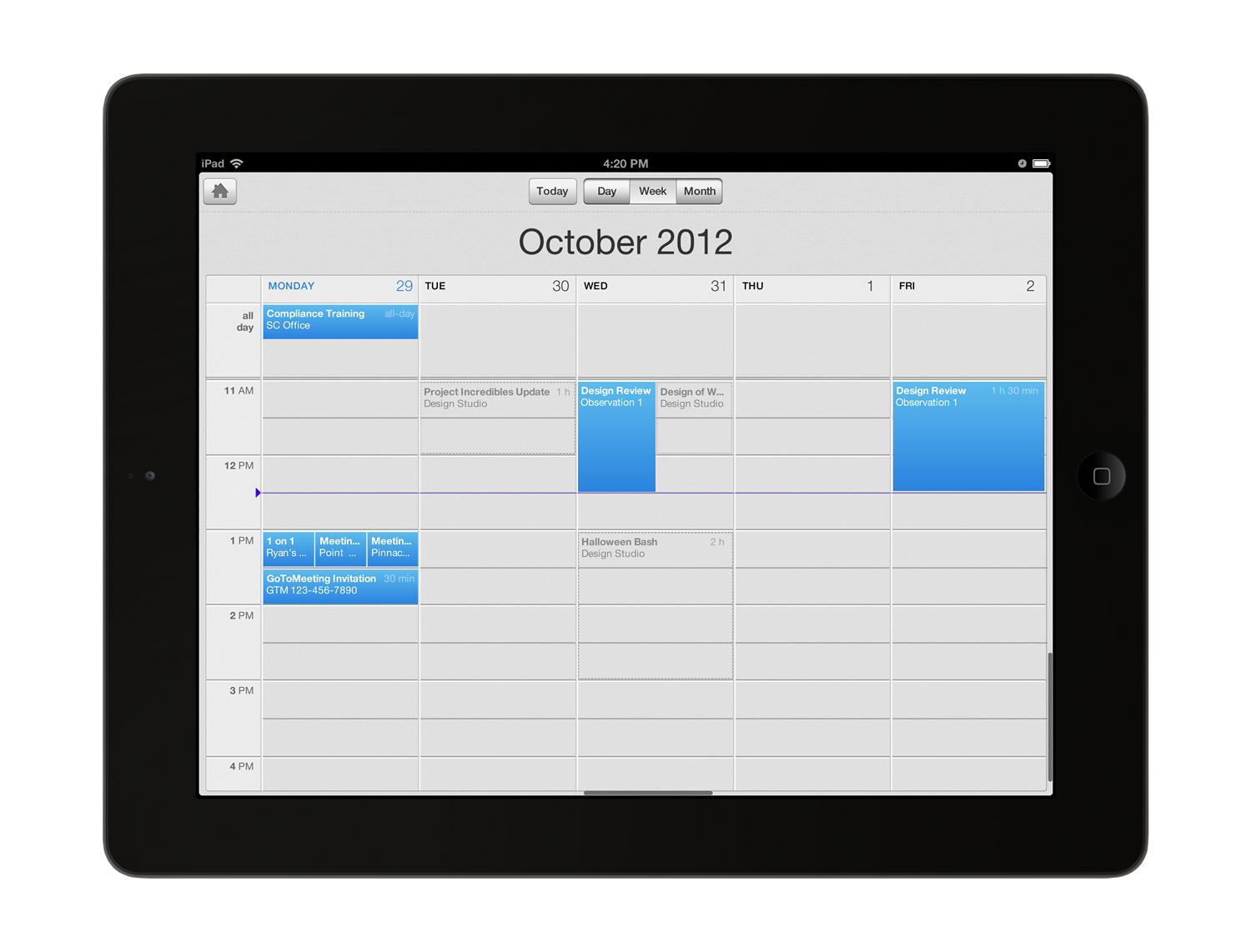
I designed the iPad experience. The home menu shows what needs attention first: new email, new invites and contacts. The calendar then does the heavy lifting of scheduling.
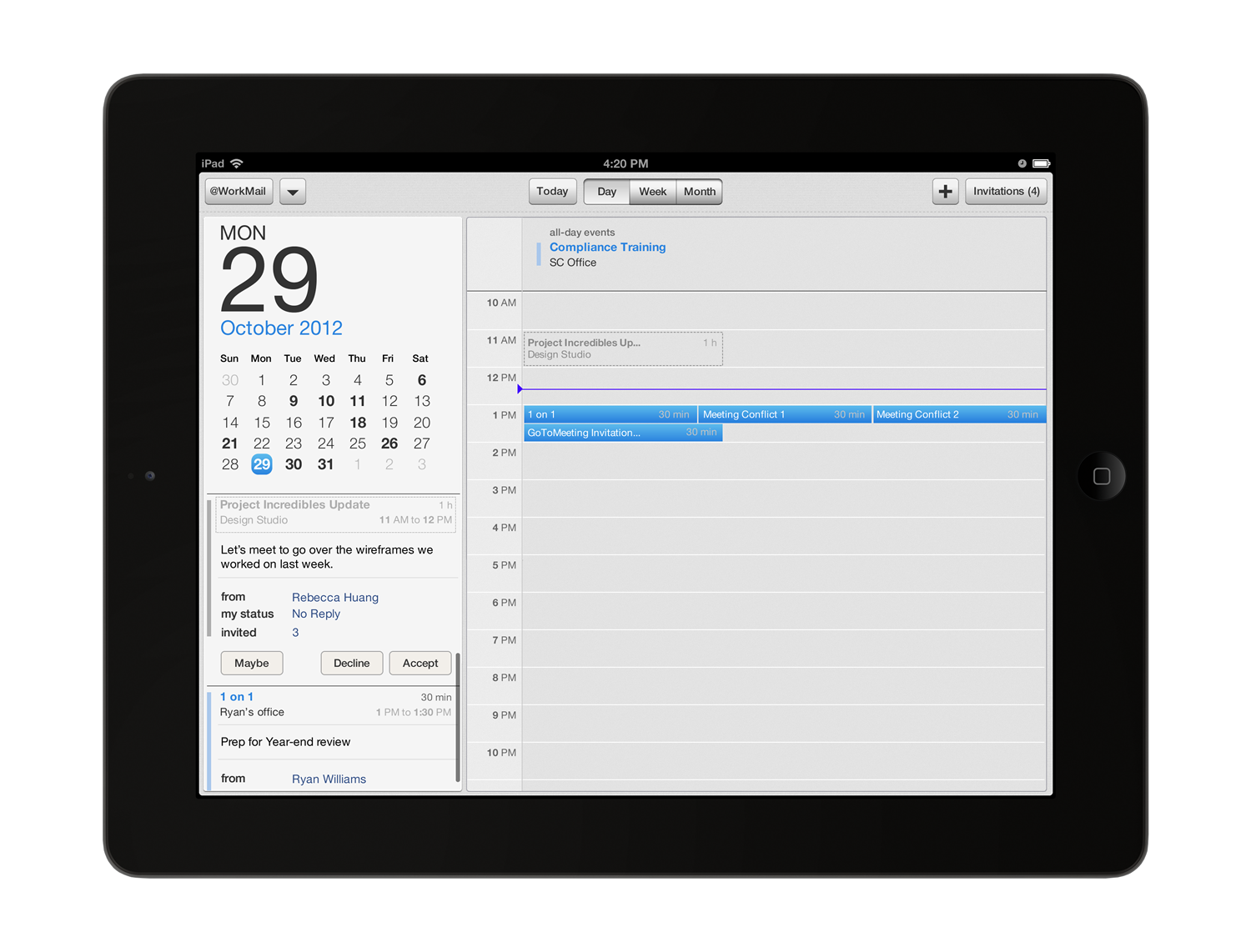
The @WorkMail iPad calendar in day view with a mini month, an event detail panel and a timeline with a scheduling conflict
Day view. Conflicts sit side by side on the timeline, with accept, maybe and decline in reach.
The @WorkMail iPad calendar in week view, showing all-day, tentative and confirmed events
Week view. Tentative events are dashed and confirmed events are filled, so status reads at a glance.

04 · Mobile enrollment

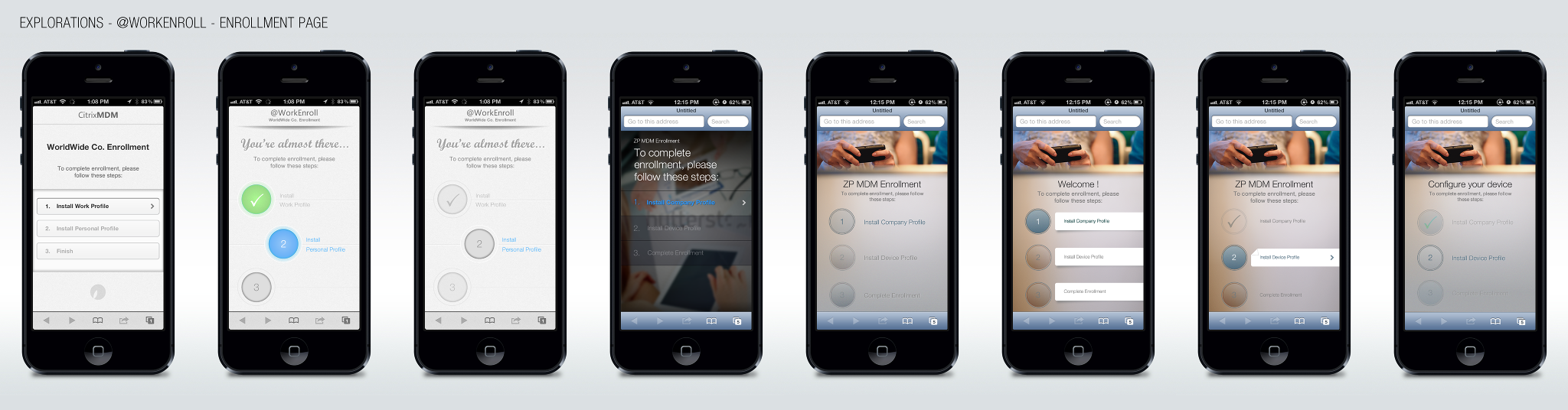
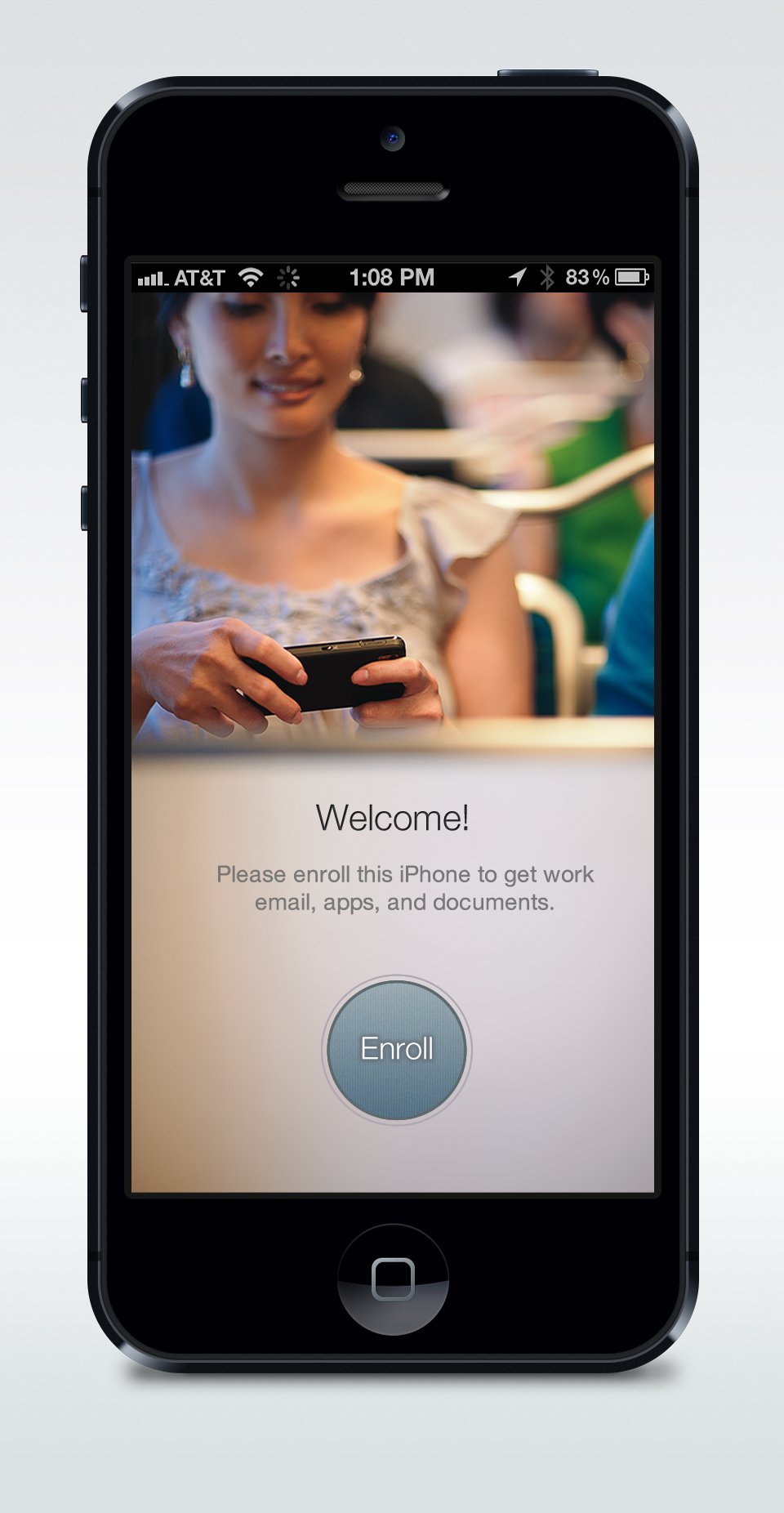
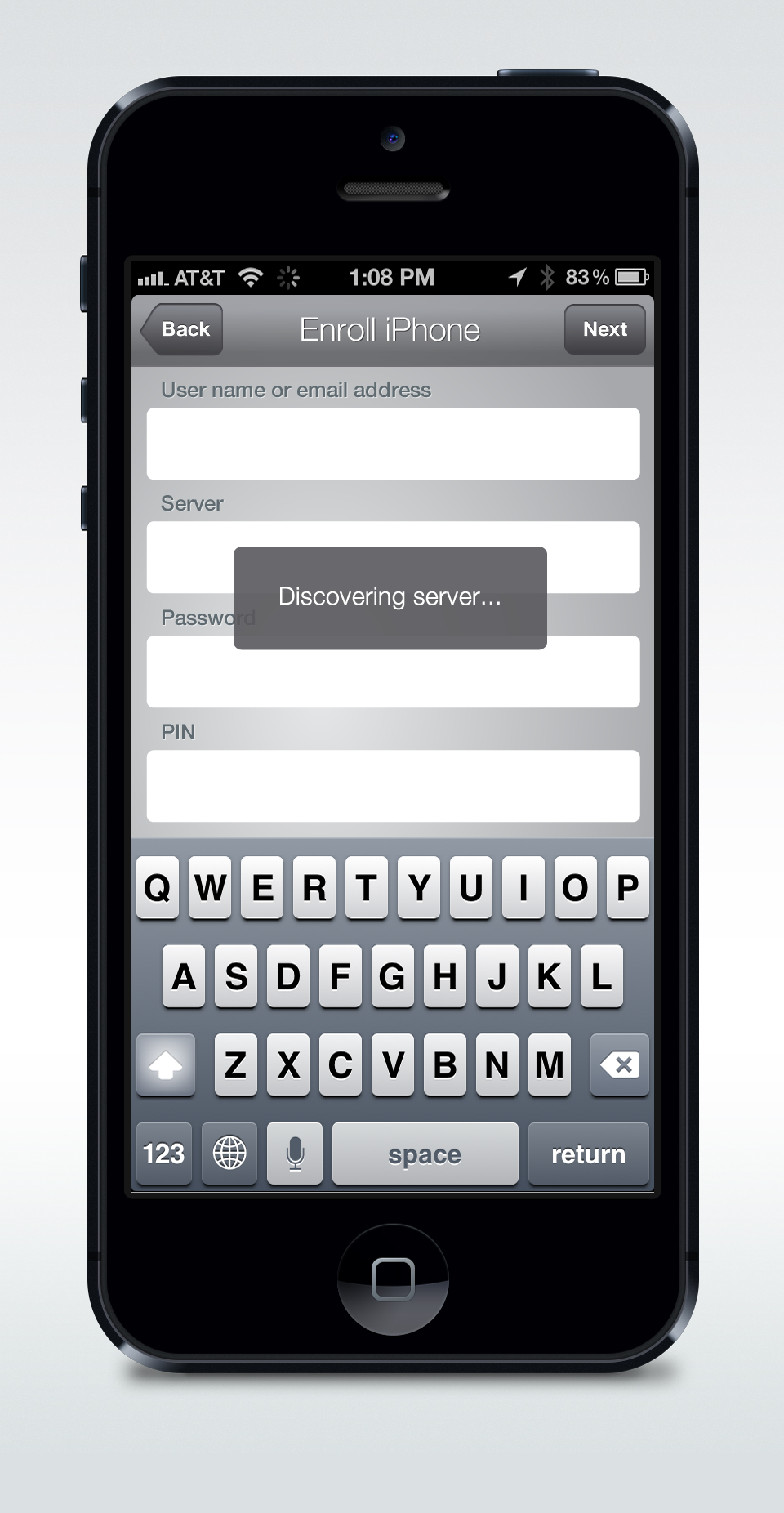
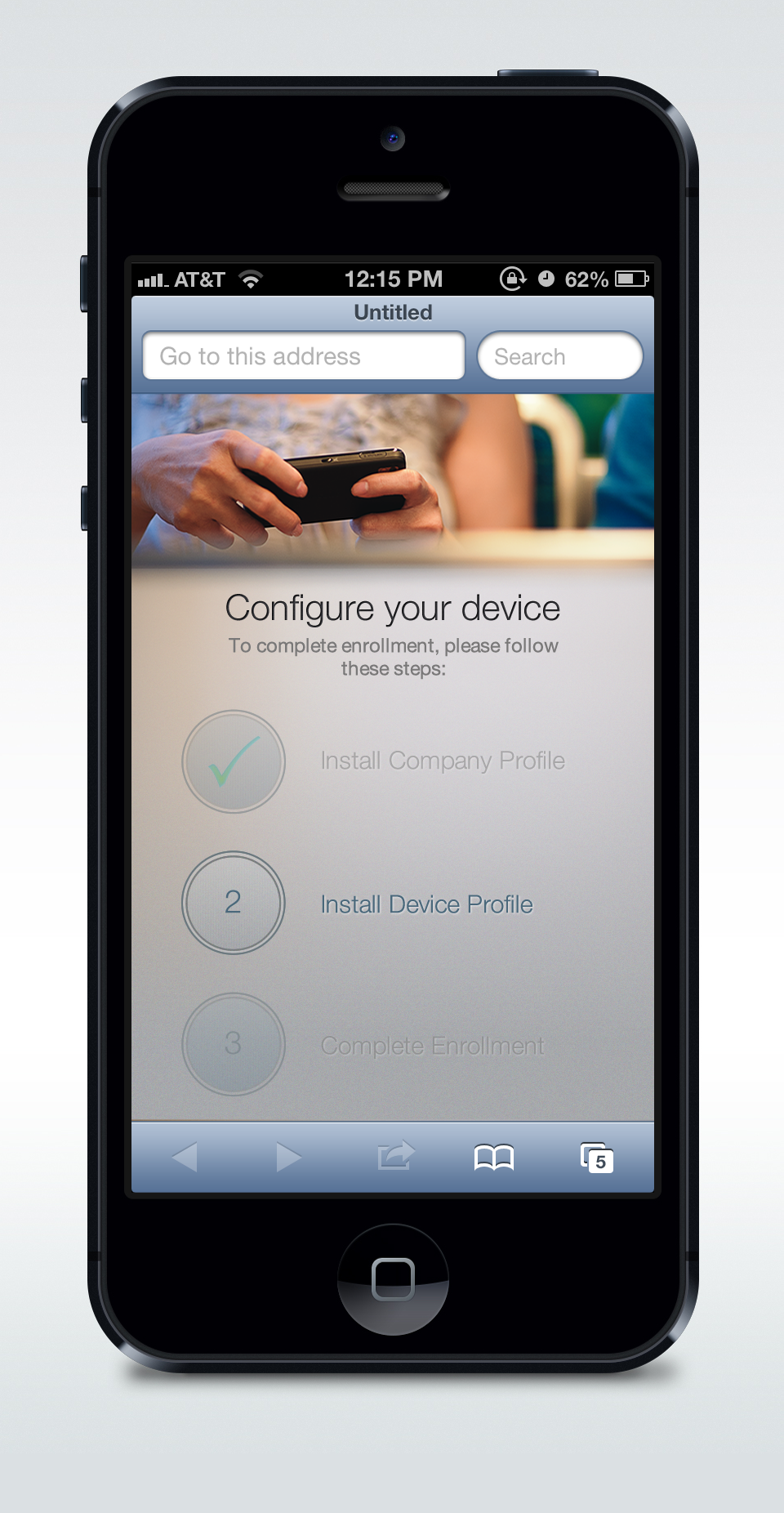
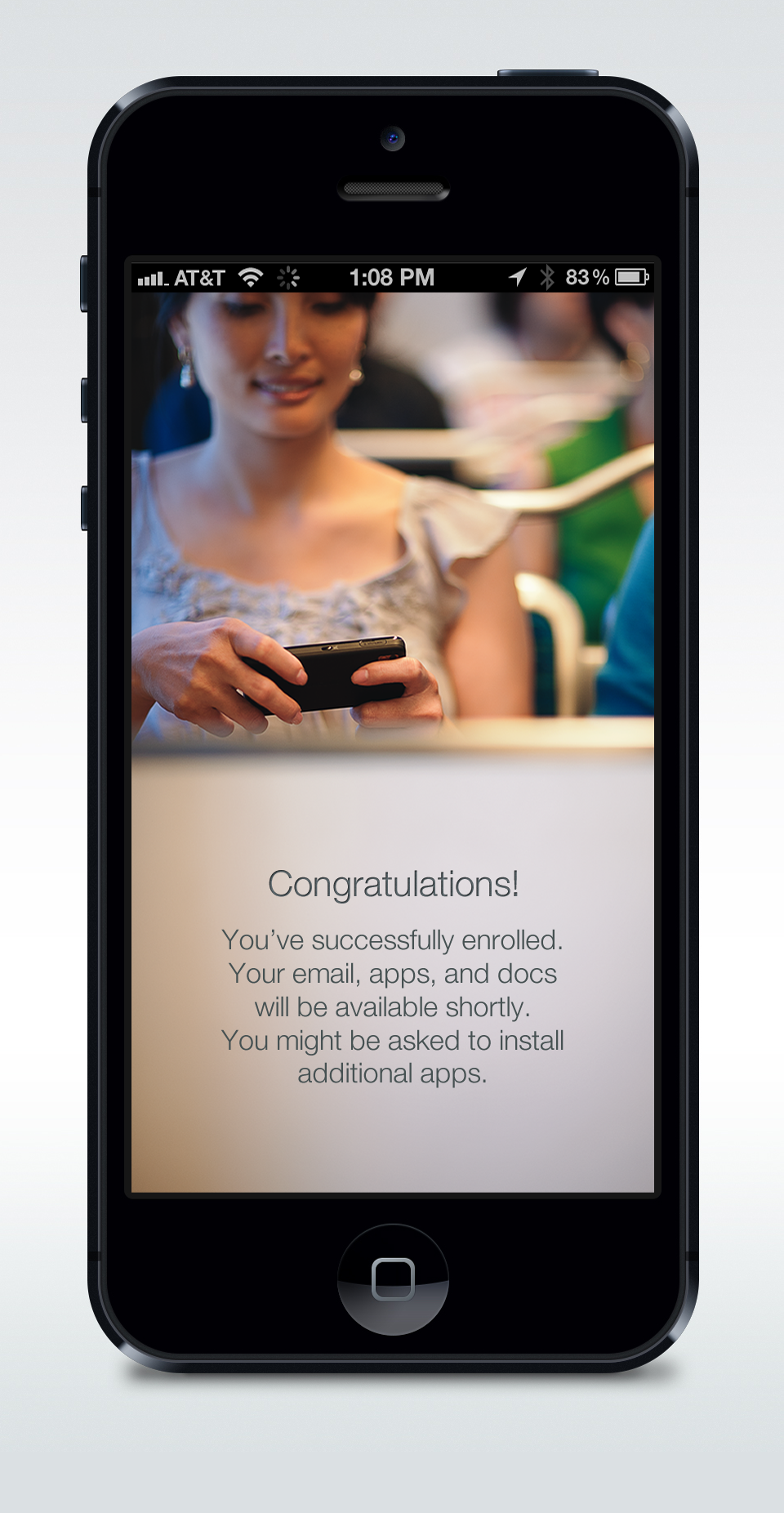
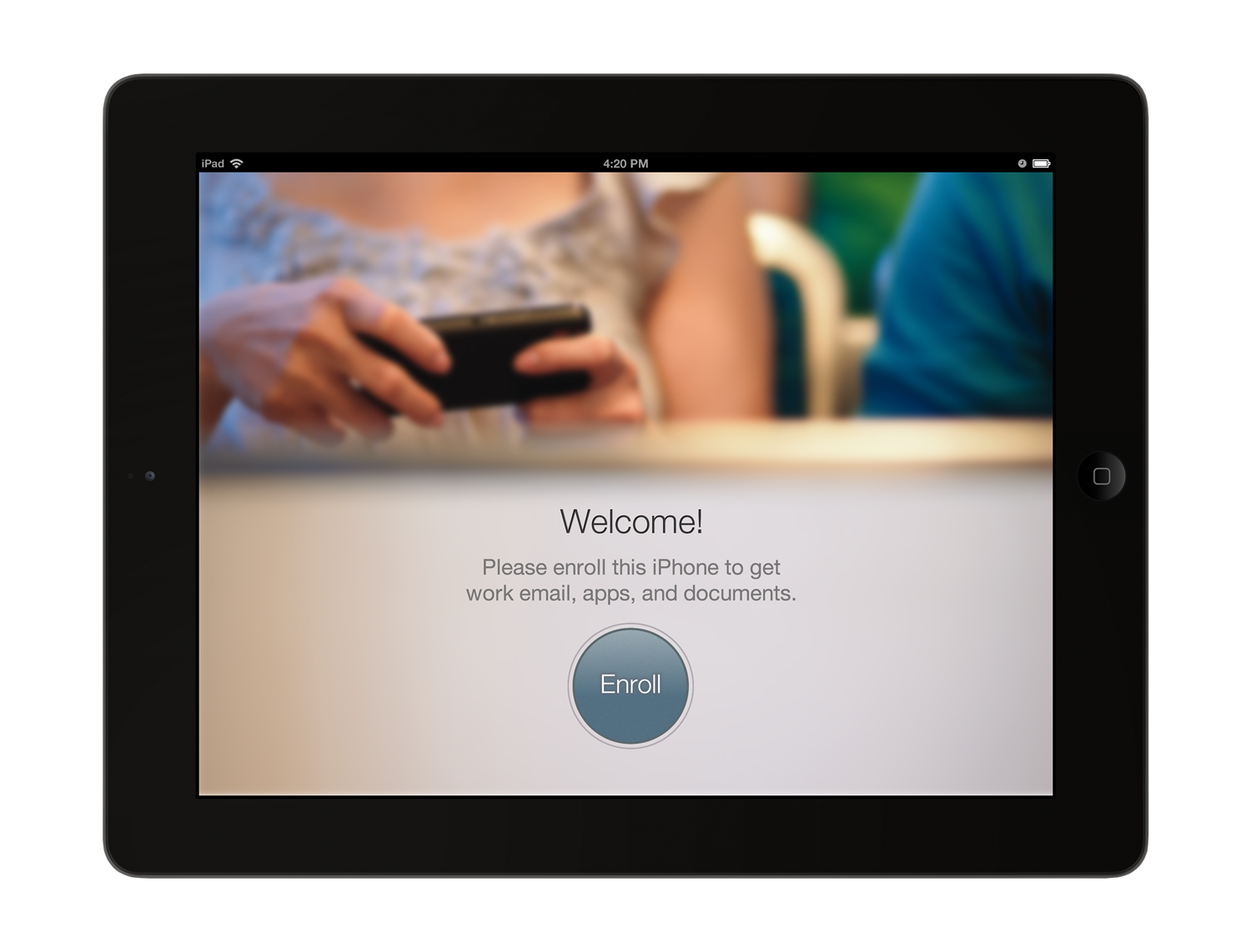
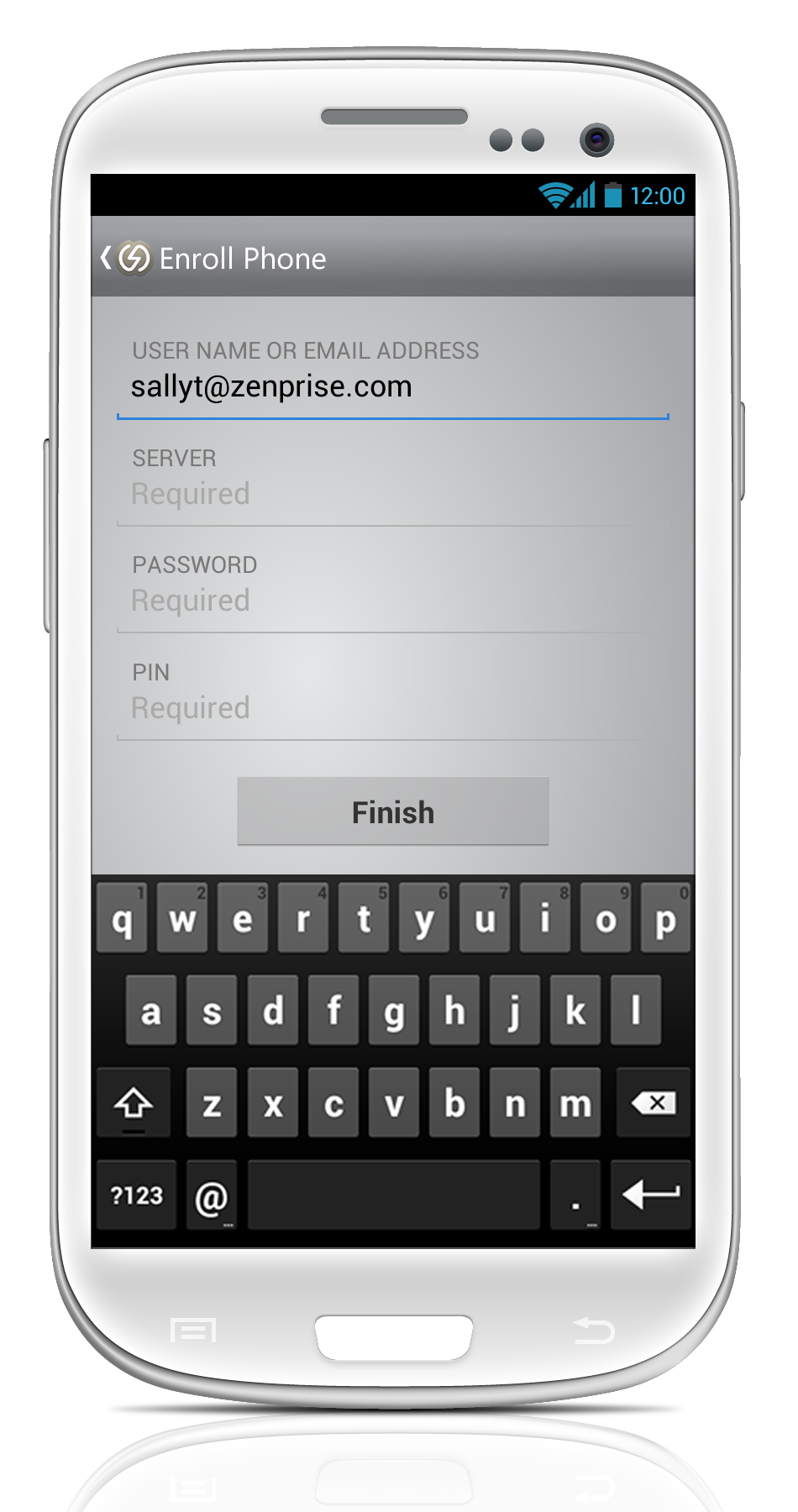
Citrix Mobile Enroll is the mobile device management side of XenMobile. It lets people enroll their own device and gives IT what it needs to manage policy, apps and compliance, including wiping a device that is lost, stolen or out of compliance.

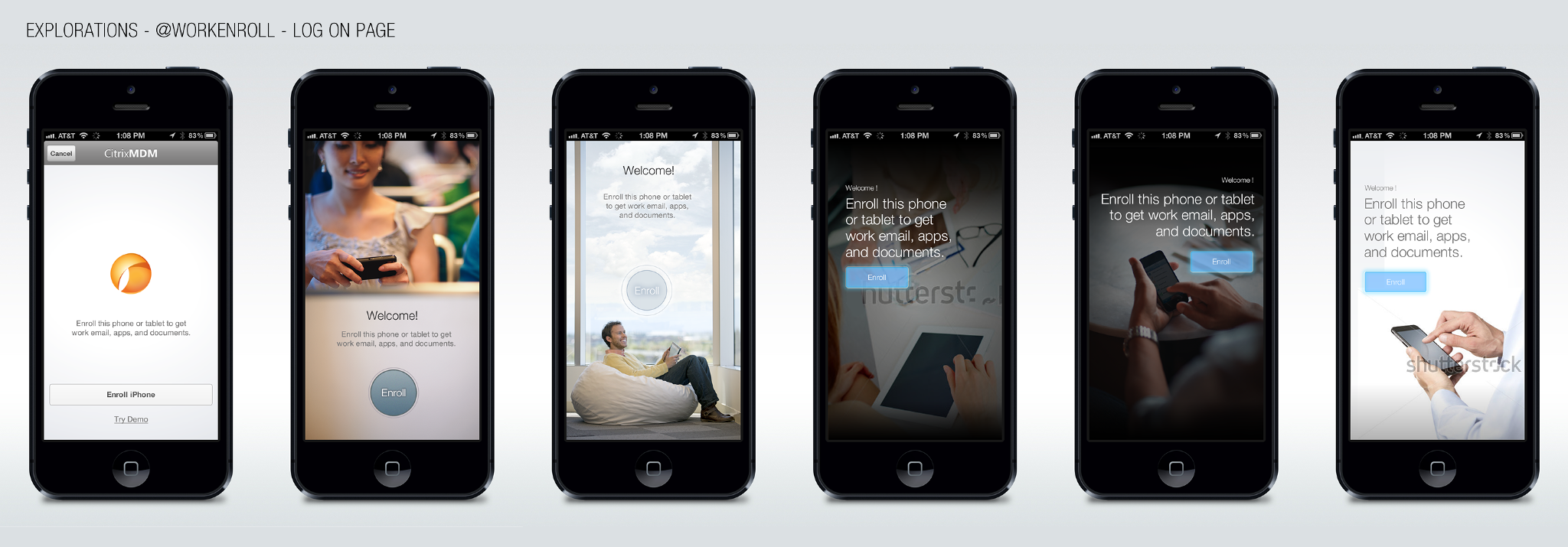
For the person holding the phone, enrollment is the first thing they see and the one step they cannot skip. So the design goal was to make a security process feel like a short, guided welcome. I designed the iOS flow, then carried it to iPad and Android.
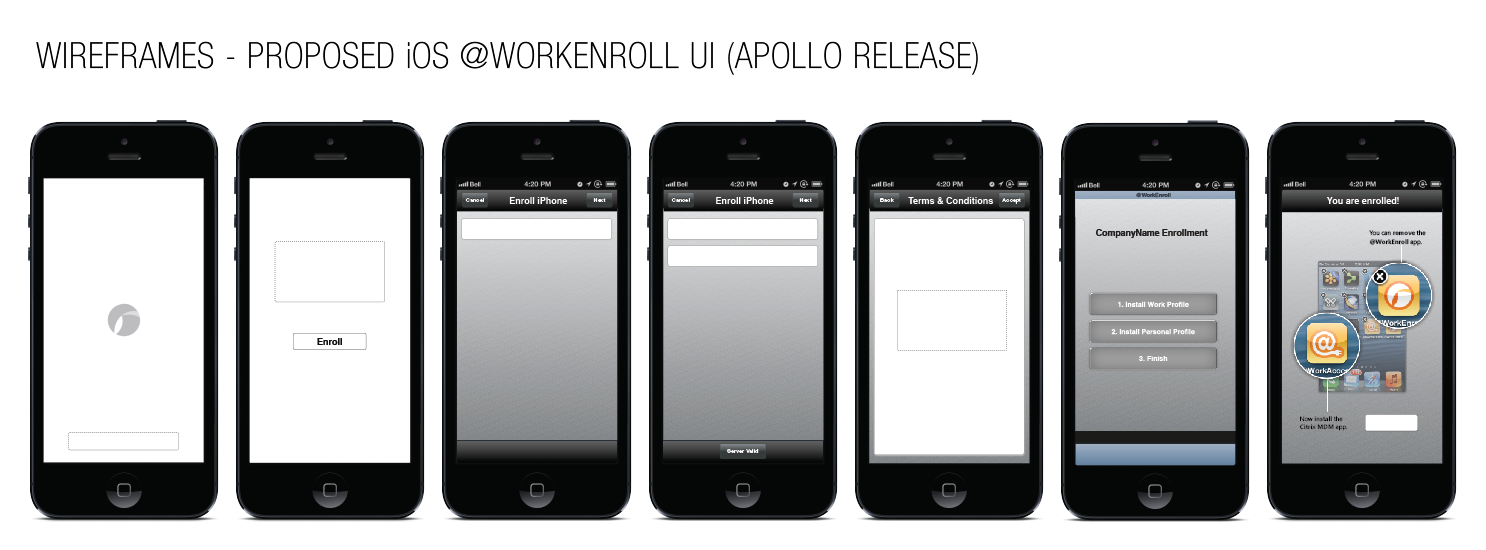
Wireframes for the proposed iOS WorkEnroll interface: splash, enroll, credentials, terms and conditions, enrollment steps and a You are enrolled screen
Wireframes for the iOS release. Seven screens, from splash to a confirmation that tells people which app they can now remove.

05 · Prototypes as arguments

The fastest way to settle a design question was to show it working. I built high-fidelity, functional Flash prototypes in record time, so new features, interactions and interface ideas could go straight into usability testing and stakeholder demos.

Prototypes I presented helped shape the direction of Receiver for iPad and for the other platforms. Assets from that work appeared in Mark Templeton’s keynote at three separate Synergy conferences.

06 · Art direction

I ran art direction across several projects, working closely with the iOS developers. I broke the vision into small, attainable goals, so developers stayed on task and implemented it correctly rather than approximately.

I also worked with other designers and researchers to keep the experience refined, producing visual assets for ongoing product iteration and exploration.

07 · Patents

The mobile interface work led to two granted US design patents, both assigned to Citrix Systems.

Display screen with multistate graphical user interfaceUS D724,100 S · Granted March 10, 2015Display screen with animated user interfaceUS D724,603 S1 · Design patent

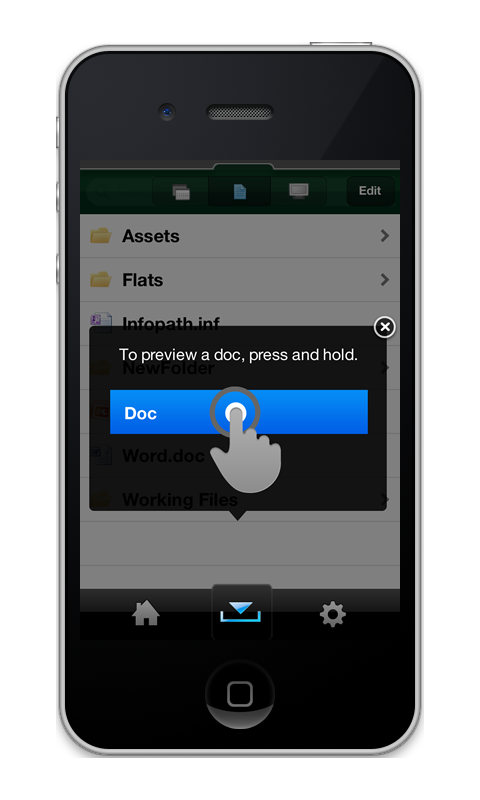
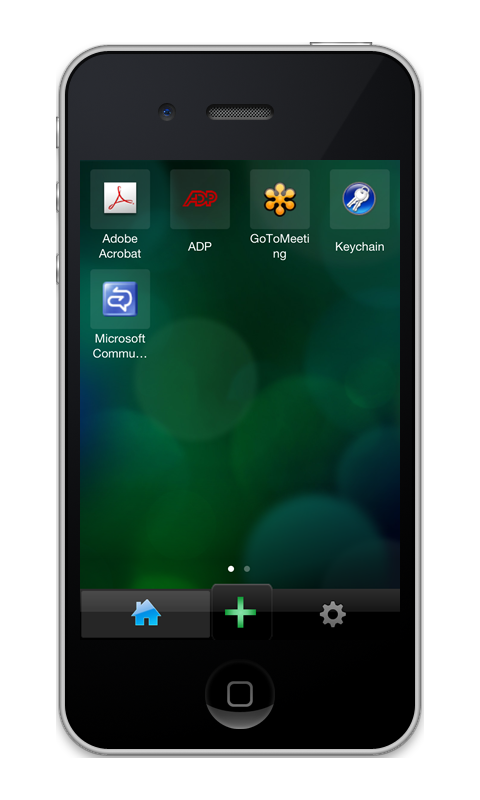
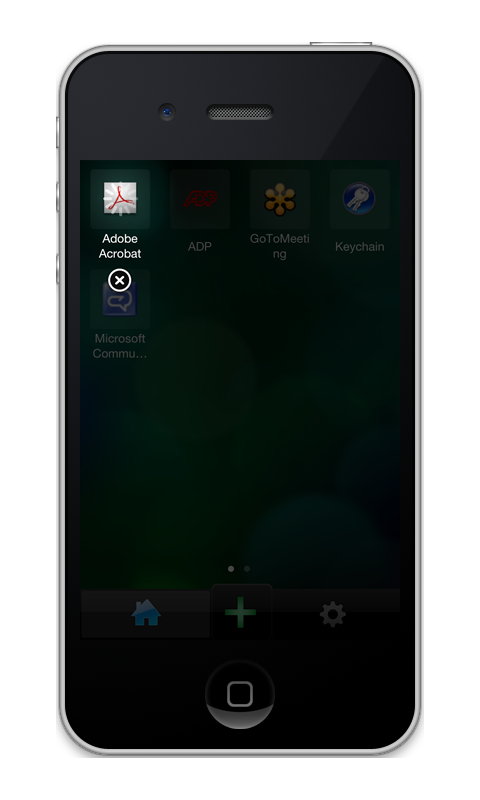
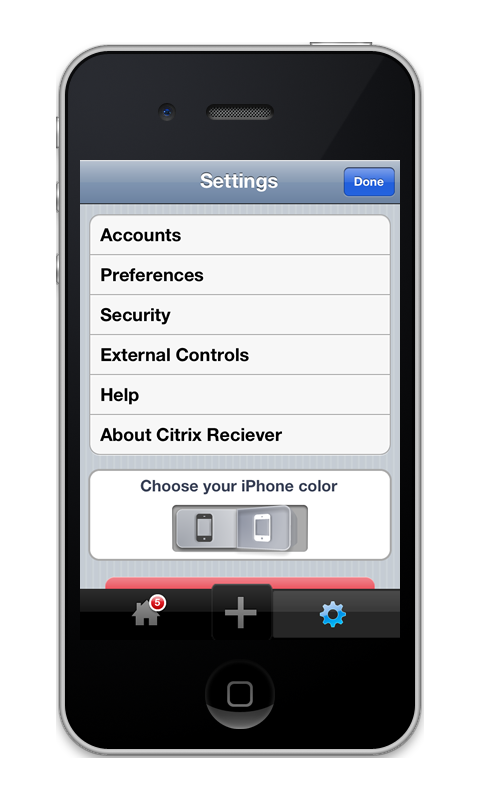
The patents came out of the Citrix Receiver redesign for iPhone, the app they describe. These are the screens.
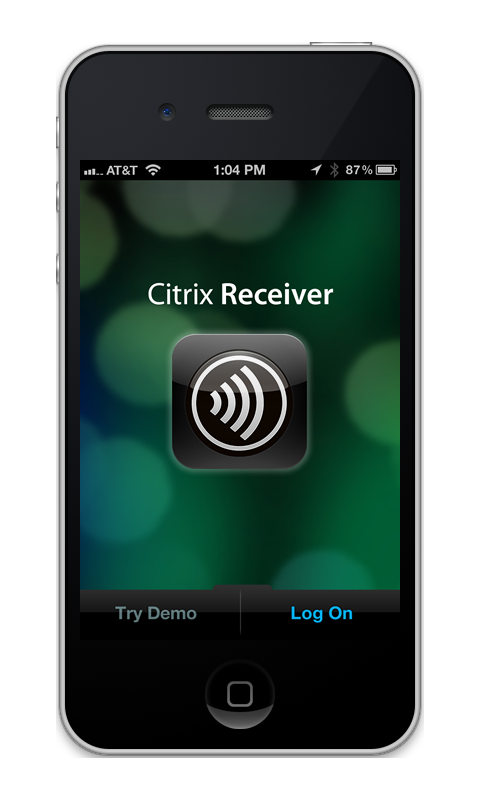
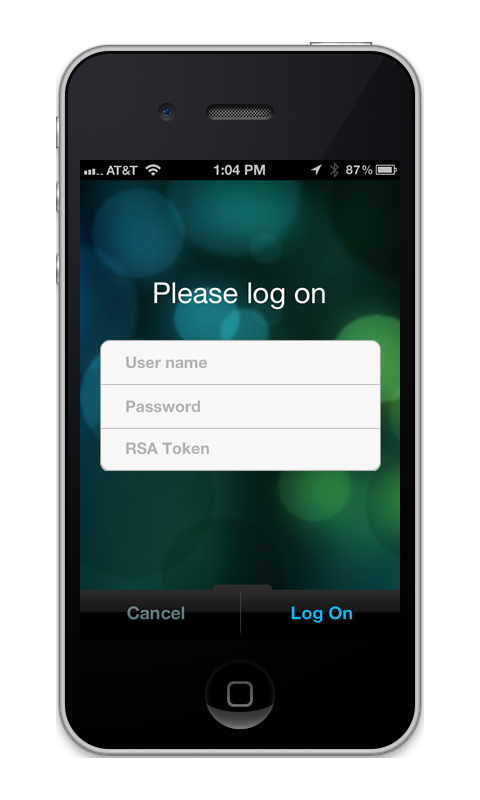
Citrix Receiver for iPhone: Launch. Try Demo or Log On.
Launch. Try Demo or Log On.
Citrix Receiver for iPhone: Log on with user name, password and RSA token.
Log on with user name, password and RSA token.
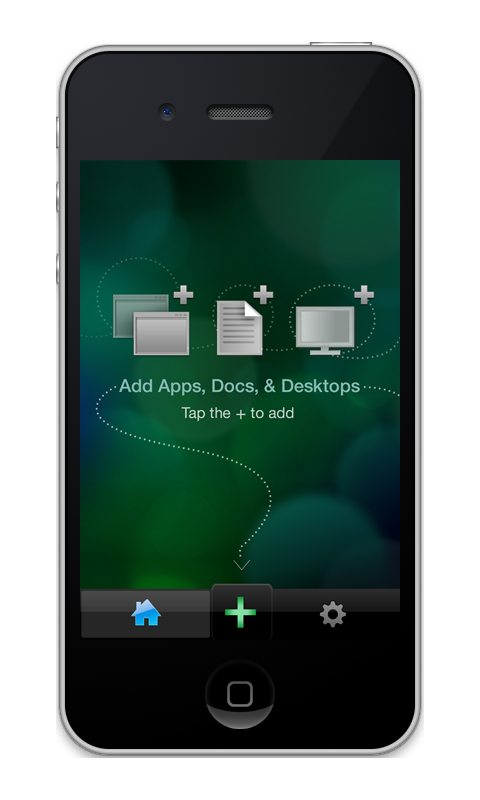
Citrix Receiver for iPhone: Empty home. Add apps, docs and desktops with the plus.
Empty home. Add apps, docs and desktops with the plus.
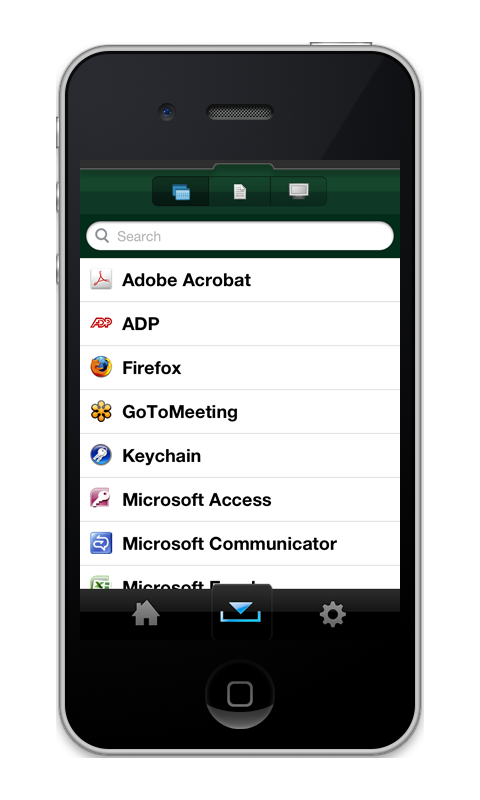
Citrix Receiver for iPhone: Add apps. A searchable list, with tabs for docs and desktops.
Add apps. A searchable list, with tabs for docs and desktops.

08 · Takeaways

01As the only designer, the job is coherence. Every decision on one platform has to hold up on the others.
02A working prototype ends more debates than a deck. Speed in Flash was a design skill.
03Developers deliver the vision when it comes in small, clear pieces they can finish.
04Mobile growth came from making a complex product feel simple, not from adding features.

One designer, every platform, almost two million downloads.
Cisco IPICS
Next case studyA tablet built to keep seniors close to familyRead the case study